Centercode Release Notes

What's New

The latest updates and improvements to the Centercode platform.

Fixes

Miscellaneous

  • Corrected an issue where the UI was displaying a legacy feature unintended for current platform editions.
  • Community managers are once again able to remove User Profiles and Test Platforms without assuming the user.
Improvements

Update Features with Expired Phases

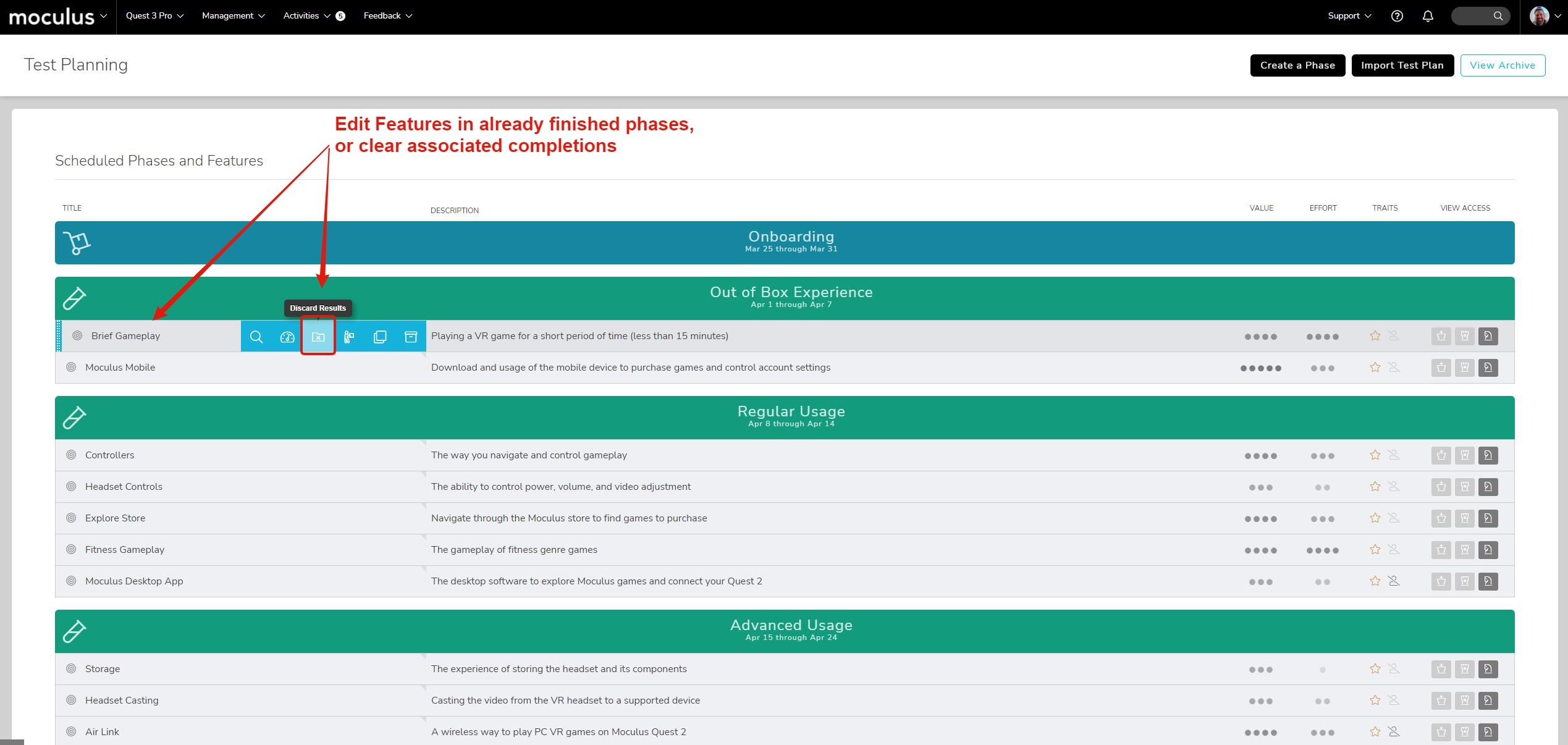
  • This change allows you to update Feature information for those kept within otherwise uneditable Phases. In addition, you can also clear their associated completions to effectively reset the activity record.
Fixes

Miscellaneous

  • Projects without Feedback Intents configured to Delta standards now utilize proper activity flow.
  • The new Community Homepage Survey list now takes into account expired or nearing expiration states. (edited)

A fresh round of updates and improvements are on the way! In the latest patch we've
made numerous updates related to Features and their functionality within Feedback Forms and Test Planning. In addition, throughout the month, we've continually deployed several bug fixes which we've also listed below.

Improvements

Update Features within Expired Phases!

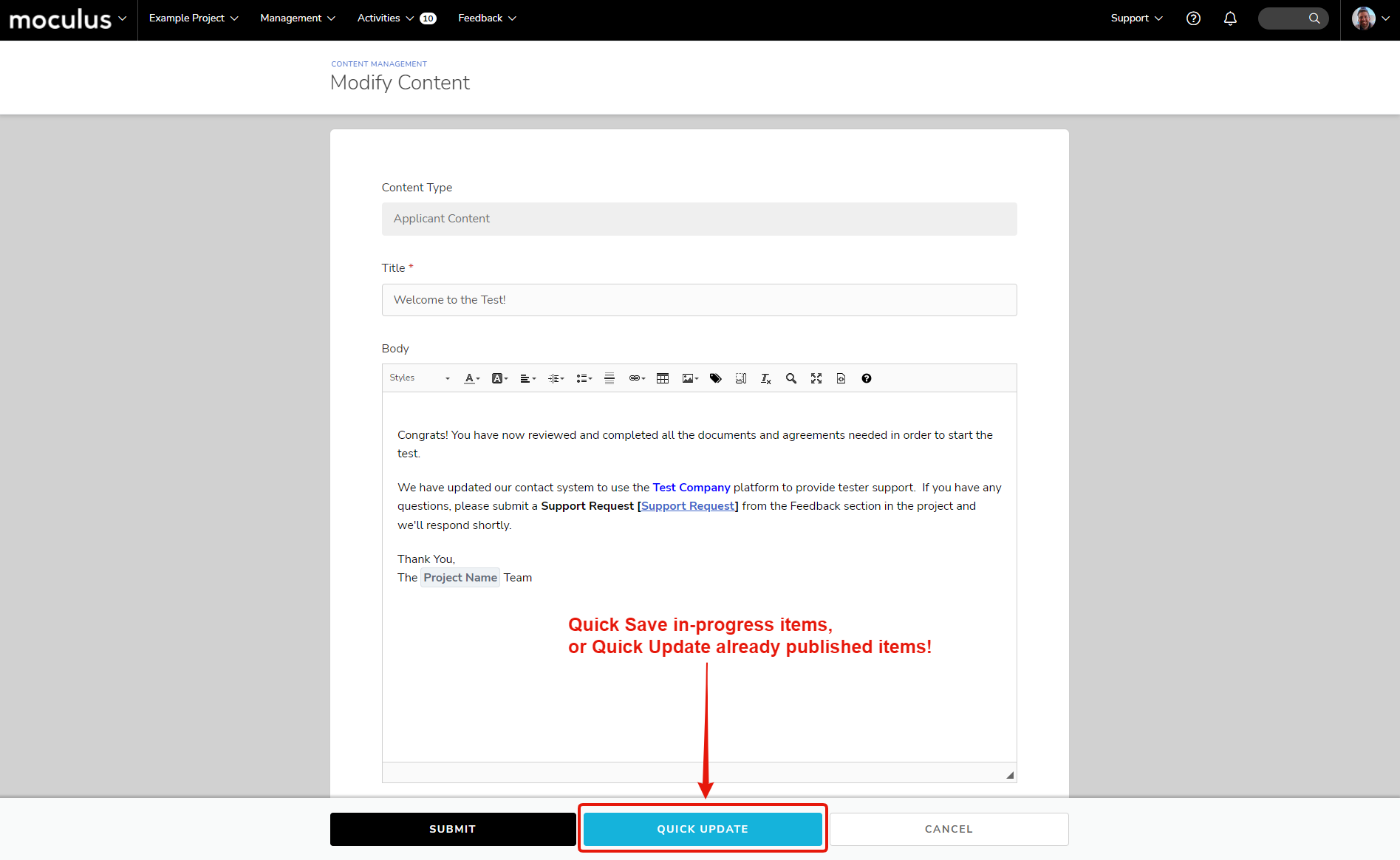
Make corrections or clarifications to features in already finished phases! This change allows you to update Feature information for those kept within otherwise-uneditable Phases. In addition, you can also clear their associated Completions to effectively reset the activity record.

Conditionals on Feature Elements!

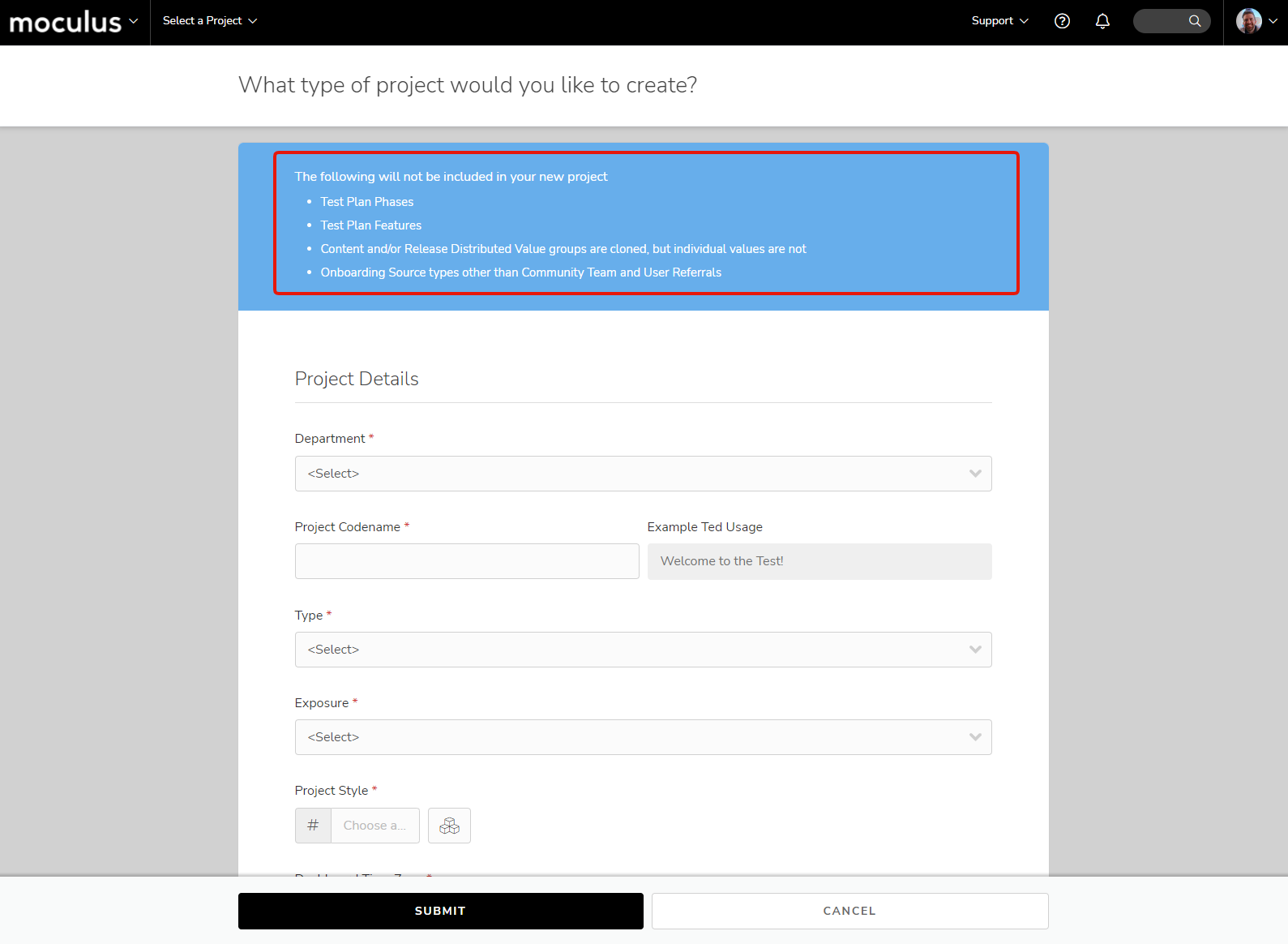
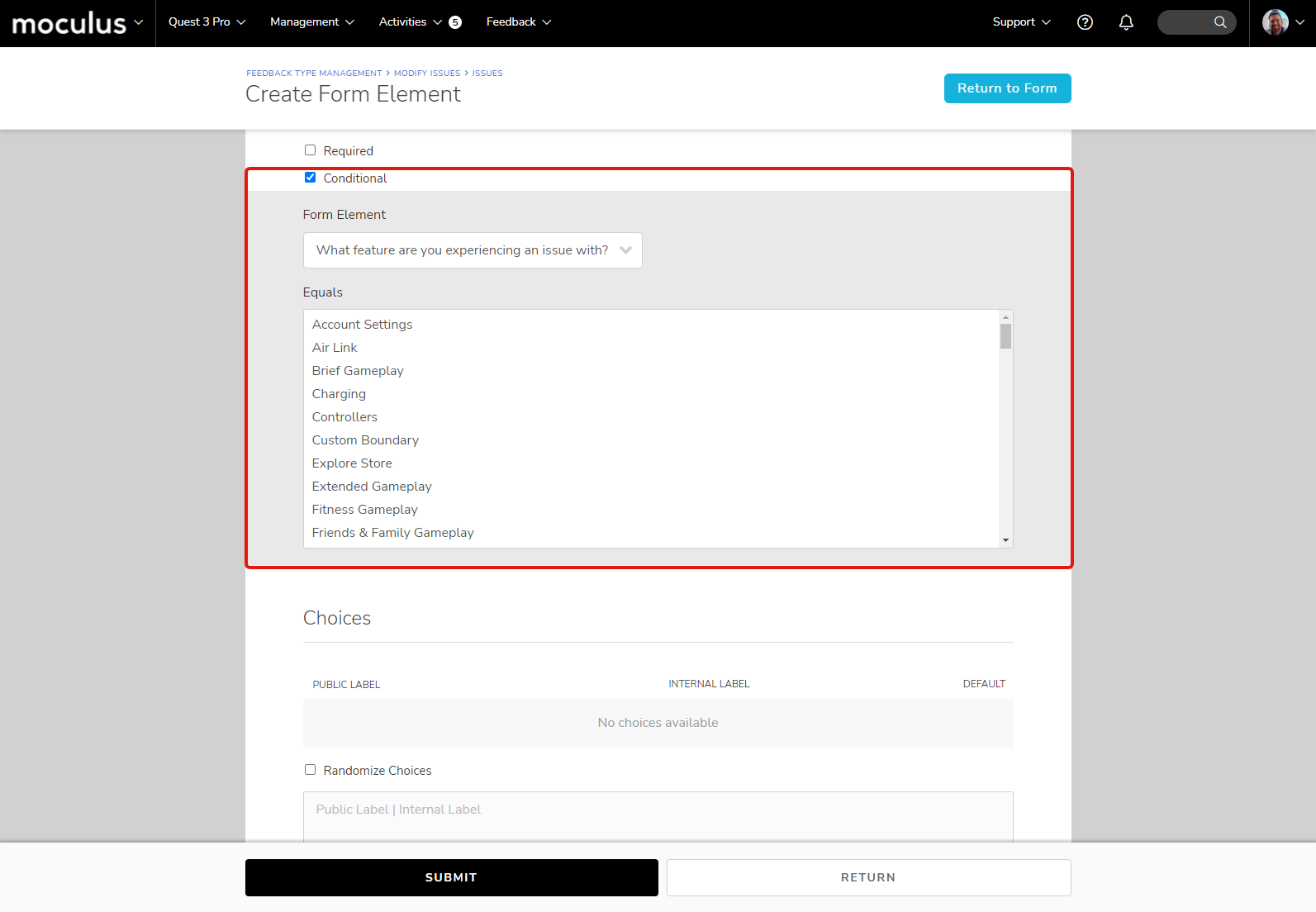
Further customization and specialization of your Feedback Forms! Feature Elements in Feedback Forms can now be selected as the parent of Conditional Elements. Note that since Features aren't cloned during Project Cloning, if you're using Conditionals off of Feature Elements, you'll need to update your Feedback Forms in new projects.

Fixes

Dashboards & Reports

  • Certain Sub-panels on Satisfaction and Engagement Over Time were adjusted to correctly include the new Regression Features.

Centercode Mobile App

  • Security update for Android

User Experience & Interface

  • New Community Homepage Survey list now takes into account expired or nearing expiration states.
  • Users no longer automatically enter their last project if they're an Applicant in that project. Additionally, Projects where a user is only an Applicant can no longer be selected as Default.
  • Adjustments were made to the Location selection on Account Settings under various non-US country selections.
  • Continued smaller functionality and UI improvements to C17 for both Desktop and Mobile.

Delta Release Upgrade

  • Migration scripts were updated to account for Projects without Project Managers when building Homepage Content from Homepage Introduction messaging.
  • Project Cloning for our Static Templates will now properly include New User and Regression Phase options.
  • Feedback Types without a Feature element will no longer allow a roundabout method of submitting active Features when users are currently blocked due to Product Verification.

Miscellaneous

  • Projects without Feedback Intents configured to Delta standards now utilize proper activity flow.
  • Feature engagement no longer presents a 404 with API endpoints.
Improvements

Conditionals on Feature Elements

  • Feature Elements in Feedback Forms can now be selected as the parent of Conditional Elements. Note that since Features aren't cloned during Project Cloning, if you're using Conditionals off of Feature Elements, you'll need to update your Feedback Forms in new projects.
Fixes

Centercode Mobile App

  • Security update for Android.

Miscellaneous

  • Users no longer automatically enter their last project if they're an Applicant in that project. Additionally, Projects where a user is only an Applicant can no longer be selected as Default.
  • Feature engagement no longer presents a 404 with API endpoints.
Fixes

Delta Dashboards

  • Certain Sub-panels on Satisfaction and Engagement over time were adjusted to correctly include the new Regression Features.

Delta Release Upgrade

  • Migration scripts were updated to account for Projects without Project Managers when building Homepage Content from Homepage Introduction messaging.
  • Project Cloning for our Static Templates will now properly include New User and Regression Phase options.
  • Feedback Types without a Feature element will no longer allow a roundabout method of submitting active Features when users are currently blocked due to Product Verification.

Miscellaneous

  • Adjustments were made to the Location selection on Account Settings under various non-US country selections.
  • Continued smaller functionality and UI improvements to C17 for both Desktop and Mobile.
Improvements

Updated Role Management Interface

  • The Roles UI now shows the associated Teams more effectively since the Delta UI no longer includes right-hand menus.

Macros now Include the Feature and Blocking Status!

  • You can now use Macros to Mass Feedback Management to update the Feature field and Blocking Status via Macro.
Fixes

User Interface and User Experience

  • New Team Keys have been implemented on the various Roles pages.
  • Continued visual and functional tuning for both desktop and mobile.

Improvements

Introducing: New User Features

  • We've implemented a new Feature type that ensures your testers complete the necessary activities and review features associated with "initialization" or "set up" before they can dig into the other features of your product. Once completed, New User Features give way to the current Phase's Feature Activities, dropping testers right back into the normal flow of your project.

Introducing: Regression Features

  • We've implemented a new Feature type that allows you to continually test/re-test chosen Features across multiple Phases. Ideal for iterative versioning (such as driver or firmware updates), Regression Features encourage persistent re-testing and accept (and report!) unique satisfaction scores for each Phase in which they're included (determined via a checkbox within each Phase).
Fixes

User Interface and User Experience

  • Tooltips were removed from the Health Over Time dashboard chart.
  • Weights used in Feedback Scoring will now round down to the nearest whole integer to fix scoring inaccuracies.
  • Continued visual and functional tuning for both desktop and mobile.

A fresh round of haunting updates and improvements are on the way! In the latest patch we've added more clear role descriptors within Teams and added some more automation opportunities to Macros. In addition, throughout the month, we've continually deployed several bug fixes which we've also listed below.

New Features

Introducing Two Powerful New Feature Types

We've heard your feedback and created two new types of Features to solve for specific but common testing scenarios. You can select these Feature types within the Create a Feature steps or directly within their respective subheadings:

**New User Features
**This new Feature type ensures your testers complete the necessary activities and review Features associated with "initialization" or "set up" before they can dig into the other features of your product. Once completed, New User Features give way to the current Phase's Feature Activities, dropping testers right back into the normal flow of your project.

**Regression Features
**This new Feature type allows you to continually test/re-test chosen Features across multiple Engagement Phases. Ideal for iterative versioning (such as driver or firmware updates), Regression Features encourage persistent re-testing and accept (and report!) unique satisfaction scores for each Phase in which they're included (determined via checkbox within each Engagement Phase).

Improvements

Updated Role Management Interface

The Roles UI now shows the associated Teams more effectively since the Delta UI no longer includes right-hand menus

Macros now include the Features and Blocking Status!

You can now use Macros to Mass Feedback Management to update the Feature field and Blocking Status via macro.

Fixes

**User Interface & User Experience

**

  • New Team Keys have been implemented on the various Roles pages.
  • Tooltips were removed from the Health Over Time dashboard chart.
  • Weights used in Feedback Scoring will now round down to the nearest whole integer to fix scoring inaccuracies.
  • Project level Opt-out is once again available in the interface to Users with access (available under the Project Menu).
  • Additional padding adjustments made to the Page Title bar.
  • The Visual Themes configuration page now displays Hash Tag icons (#) associated with color-picker fields and now strips hash tags from pasted hex codes.
  • Continued visual and functional tuning for both desktop and mobile.

Dashboards

  • Adjustments were made to properly separate Phase and Overall Dashboard data under specific scoring conditions.
  • PDF for Project Dashboards was adjusted to prevent Custom CSS from impacting its display.
  • Work was done to align Internal Team access properly to the new Dashboard and Feedback Views.
  • Spacing adjusted on Date Range UI for Dashboard Filtering.

Mobile App

  • A fix was added to prevent issues with Mobile App login using SSO.
Fixes

User Interface and User Experience

  • Project-level Opt-out is once again available in the interface to Users with access (available under the Project Menu).
  • Additional padding adjustments were made to the Page Title bar.
  • The Visual Themes configuration page now displays Hash Tag icons (#) associated with color-picker fields and now strips hashtags from pasted hex codes.

Dashboards

  • Adjustments were made to properly separate Phase and Overall Dashboard data under specific scoring conditions.
  • PDF for Project Dashboards was adjusted to prevent Custom CSS from impacting its display.
  • Work was done to align Internal Team access properly to the new Dashboard and Feedback Views.
  • Spacing adjusted on Date Range UI for Dashboard Filtering.

Mobile App

  • A fix was added to prevent issues with Mobile App login using SSO.

A fresh round of updates and improvements are on the way! In the latest patch we've addressed some key mobile application performance issues, improved our Feedback process, and pushed several UX updates.

Improvements

📈 Improvements 📈

"Resolved" Feedback replaces "Archived"

In the spirit of its purpose, "Archived" feedback is now identified as "Resolved" within the platform. This aligns with the goal of marking feedback as no longer needing attention or focus (aka Resolved).

Feedback Status Intent determines Resolved state

Feedback Status Intents now determine if Feedback is Open (able to be accessed, commented on, etc.) or Resolved. During this update, Archived Statuses without a designated Intent will be migrated to the "Resolved - Other" Feedback Status Intent.

Updated Feedback "Next Steps" Submission Flow

We've implemented an updated flow for feedback submission - after submitting feedback (or predictive matching), submitters are prompted to review their feedback and/or submit additional feedback if they have any.

Fixes

User Interface & User Experience

  • Old Community Activity page from C16 is now linked again (Platform Activity) from the Subscription Management page.
  • Avatar border for Feedback Comment posting UI now properly indicates Moderator accounts.
  • Submitting Feedback or Feature Satisfaction now sends users to a consistent follow-up page leading to continued activity engagement.
  • Multiple Teams displayed on the User Card will no longer overflow out of the Team combo box interface.
  • Product Receipt emails are now sent once every three days instead of every other day.
  • Many adjustments to the look-and feel of the User and Feedback management areas, as well as the Feedback Simple View.

Data Engine

  • The Feature and Feature Phase data elements will now correctly convert to the associated data when used as a Dynamic Tag

Product Receipt

  • Product Receipt feature can now only be enabled for Participant Team Types.

Centercode Mobile App

  • An External Authentication (Single Sign-On) issue with the mobile application was fixed.
  • Using iPhone camera while attaching a file to a file attachment element will no longer cause the app to crash.

Platform Interface / UX

  • User Card with multiple Teams displayed will no longer overflow out of the interface.
  • Project Homepage once again has a toggle option to reset any hidden Content/Release items previously hidden by the User.
  • User Admin Teams can once again be adjusted via User Summary pages.
Improvements

"Resolved" Feedback Replaces "Archived"

  • In the spirit of its purpose, "Archived" feedback is now identified as "Resolved" within the platform. This aligns with the goal of marking feedback as no longer needing attention or focus (aka Resolved).

Feedback Status Intent Determines Resolved State

  • Feedback Status Intents now determine if Feedback is Open (able to be accessed, commented on, etc.) or Resolved. During this update, Archived Statuses without a designated Intent will be migrated to the "Resolved - Other" Feedback Status Intent.
Fixes

User Interface and User Experience

  • The Old Community Activity page from C16 is now linked again (Platform Activity) from the Subscription Management page.
  • The avatar border for Feedback Comment posting UI now properly indicates Moderator accounts.
Improvements

Updated Feedback "Next Steps" Submission Flow

  • We've implemented an updated flow for feedback submission - after submitting feedback (or predictive matching), submitters are prompted to review their feedback and/or submit additional feedback if they have any.
Fixes

Data Engine

  • The Feature and Feature Phase data elements will now correctly convert to the associated data when used as a Dynamic Tag.

Centercode Mobile App

  • An External Authentication (Single Sign-On) issue with the mobile application was fixed.

User Interface & User Experience

  • Submitting Feedback or Feature Satisfaction now sends users to a consistent follow-up page leading to continued activity engagement.
  • Multiple Teams displayed on the User Card will no longer overflow out of the Team combo box interface.
  • Product Receipt emails are now sent once every three days instead of every other day.
  • Many adjustments to the look-and-feel of the User and Feedback management areas, as well as the Feedback Simple View.
Fixes

Product Receipt

  • The Product Receipt feature can now only be enabled for Participant Team Types.

Feedback Management

  • Feedback Types with only a File Attachment element on their form will properly retain Files when the Status is changed via Mass Modify.

Mobile App

  • Using an iPhone camera while attaching a file to a file attachment element will no longer cause the app to crash.

Platform Interface/UX

  • User Card with multiple Teams displayed will no longer overflow out of the interface.
  • Project Homepage once again has a toggle option to reset any hidden Content/Release items previously hidden by the User.
  • User Admin Teams can once again be adjusted via User Summary pages.
Improvements

Centercode Mobile App

  • The Centercode Mobile App is officially available in app stores! For C17 sites, you can find an "Access via Mobile" link in your Community Menu.

Community Homepage Improvements

  • We now display available Surveys, Profiles, and Platforms on the Community Homepage. Plus, the platform now prompts users to update their information if the data is becoming dated.

New Calendar Widget

  • We have updated the Calendar selector we use throughout our system to a much more modern, sleek, and clean interface - removing the need for a separate icon as well.

Onboarding Email Previews

  • Email Previews (the ones with false links for testing purposes) can now be sent for Onboarding email templates."
Fixes

Product Verification

  • Product Verification will now work as expected with Projects that do not yet have a Product Type selected.

Test Planning

  • Test Plan Imports with back-to-back Phase dates (within 1 day of each other) will no longer break due to Project timezone settings.

Platform Interface/UX

  • Project opportunities will now properly show up on the Community homepage even for users not in any active Projects within the matching Department.
  • When updating from Beta to Delta, the default Feedback Type icons now better match the intent of existing Feedback Types.
  • Additional Tooltips were added to some of the new C17 expand/collapse section icons.
  • Continued internal refinement of C17 for desktop and mobile application.

Just In! The Centercode Mobile App is available on app stores! In addition, we've deployed new platform fixes which include: Calendar Widgets, Community Homepage Improvements, and more below!

New Features

Check out the Centercode Mobile App!

The Centercode Mobile App is officially available on app stores! For C17 sites, you can find an "Access via Mobile" link in your Community Menu.

Improvements

Community Homepage Improvements!

We now display available Surveys, Profiles, and Platforms on the Community Homepage. Plus, the platform now prompts users to update their information if the data is becoming dated.

New Calendar Widget!

We have updated the Calendar selector we use throughout our system to a much more modern, sleek, and clean interface - removing the need for a separate icon as well!

Onboarding Email Previews!

Email Previews (the ones with false links for testing purposes) can now be sent for Onboarding email templates.

Fixes

Product Verification

  • Product Verification will now work as expected with Projects that do not yet have a Product Type selected.

Test Planning

  • Test Plan Imports with back-to-back Phase dates (within 1 day of each other) will no longer break due to Project timezone settings.

User Experience & Interface

  • Project opportunities will now properly show up on the Community homepage even for users not in any active Projects within matching Department.
  • When updating from Beta to Delta, the default Feedback Type icons now better match the intent of existing Feedback Types.
  • Additional Tooltips added to some of the new C17 expand/collapse section icons.
  • Continued internal refinement of C17 for desktop and our mobile application.
  • Significant interface tweaks, including reorganizing the Menu Bar, have been implemented based on early-access feedback.
  • The Project Overview page received color, button, and link adjustments for more clarity and usability.
  • Incomplete / in-progress File Uploads will present a browser warning when users attempt to leave the page.
  • Failure to access your last-entered project (automatically on log-in) will now present a clear message.

Mobile App

  • Multiple refinements and fixes were applied to the Mobile App for an updated experience. It will be resubmitted to the App stores.
Fixes

Platform Interface/UX

  • Significant interface tweaks, including reorganizing the Menu Bar, have been implemented based on early-access feedback.
  • The Project Overview page received color, button, and link adjustments for more clarity and usability.
  • Incomplete / in-progress File Uploads will present a browser warning when users attempt to leave the page.
  • Failure to access your last-entered project (automatically on log-in) will now present a clear message.

Mobile App

  • Multiple refinements and fixes were applied to the Mobile App for an updated experience. It will be resubmitted to the App stores.
Improvements

Accessibility

  • Significantly improved level A and AA accessibility coverage was implemented in this release, with efforts aimed primarily at the end-user experience. More to come here!
Fixes

Platform Interface/UX

  • Projects can once again be moved between Department buckets when editing Project Basic Settings.
  • User Avatar uploads were adjusted to handle oversized files and repeated uploads more gracefully.
  • Login and External Authentication copy and page layout were updated to improve look, feel, and functionality.
  • The Features and Phases shown within admin-level Planning have undergone a visual and functional overhaul.
  • Some missing Community-level navigation trails were added.

Dashboards

  • PDF print of Top Feedback Dashboard will no longer stretch smaller site header icons.
  • An obscure Status issue that could occur under very specific conditions with a Feedback Type was fixed.
  • New Feature Data criteria will now convert via Dynamic Tags properly.

We're heating things up this August! We've added a new Product Verification Feature and improvement based on your GoEarly Feedback! More to come here! In addition, throughout the month, we've continuously deployed several bug fixes which we've also listed below.

New Features

Product Verification!

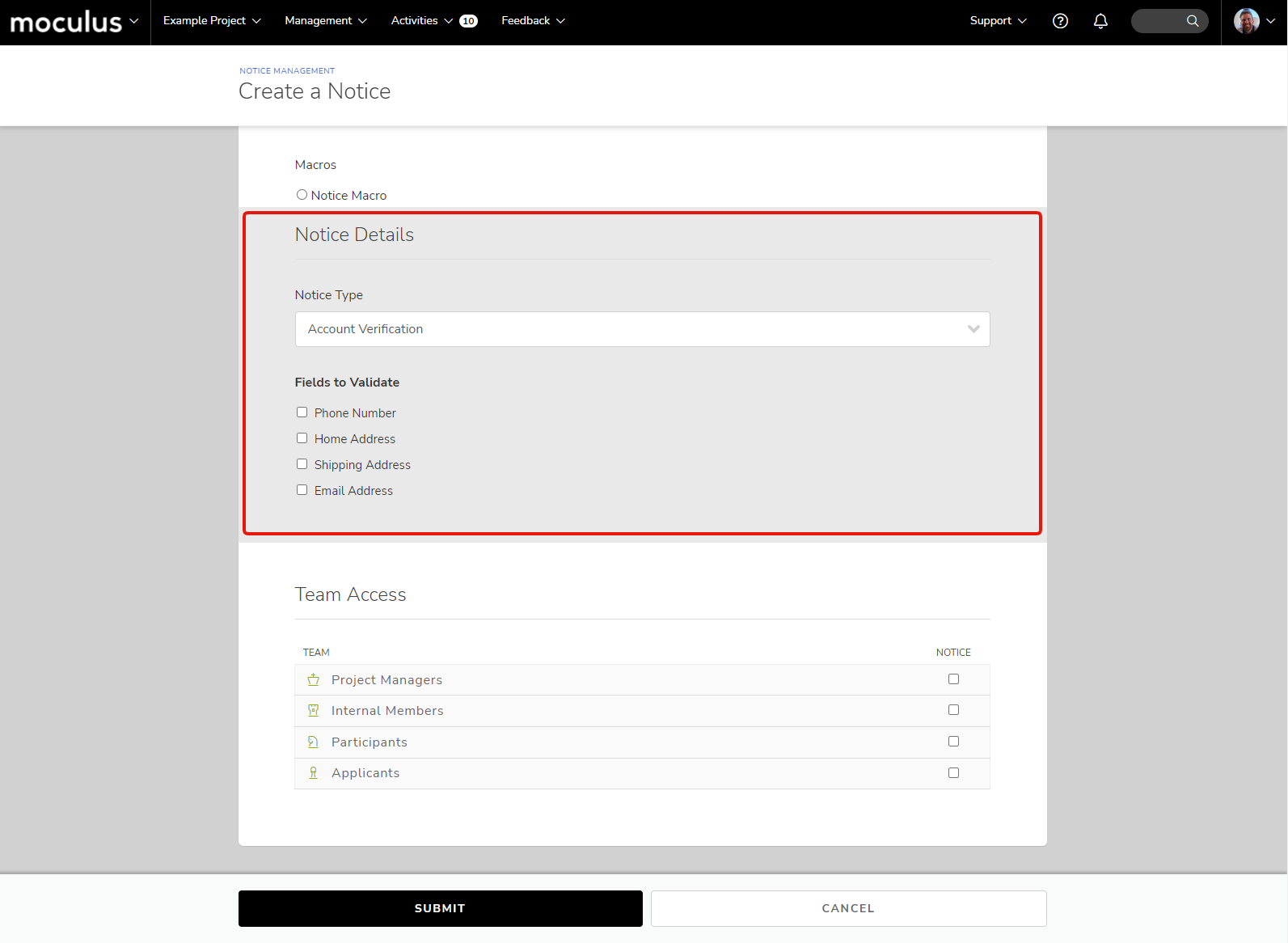
Admins can now require product receipt confirmation (based on Product Type in Project Settings) from participants (and can be further enhanced by static or conditional macros). When enabled, Participants will be prevented from submitting Feedback or completing Activities until receipt is confirmed.

Improvements

Accessibility!

Significantly improved level A and AA accessibility coverage that was implemented in this release, with efforts aimed primarily on the end-user experience. More to come here!

Reworked Activity Flow!

Based on your GoEarly feedback, we've make major improvements to how activities are completed by participants including Activity availability, the Satisfaction Rating > Feedback flow, and more.

Avatar Icons!

Empty Avatar images are now auto-generated based on Full Name (or Username if this project setting is used instead).

Fixes

User Experience & Interface

  • Projects can once again be moved between Department buckets when editing Project Basic Settings.
  • User Avatar uploads were adjusted to handle oversized files and repeated uploads more gracefully.
  • Login and External Authentication copy and page layout was updated to improve look, feel, and functionality.
  • The Features and Phases shown within admin-level Planning have undergone a visual and functional overhaul.
  • Some missing Community-level navigation trails were added.
  • Icons across the system have been replaced with more refined versions to match our global modernization efforts!
  • MANY bug fixes and ideas have been addressed including those sourced directly from our ongoing Delta testing via GoEarly.
  • New Feedback and Star Rating icons have been implemented on Project Homepage.
  • Browse icons on Project Homepage added for Feedback types.
  • Planning page now uses clearer Dates for Phases (no times, midnight based on project timezone, interface improvements).

Dashboards

  • PDF print of Top Feedback Dashboard will no longer stretch smaller site header icons.
  • An obscure Status issue that could occur under very specific conditions with a Feedback Type was fixed.
  • New Feature Data criteria will now convert via Dynamic Tags properly.
Improvements

Product Verification

  • New Feature! Admins can now require product receipt confirmation (based on Product Type in Project Settings) from participants (and can be further enhanced by static or conditional macros). When enabled, Participants will be prevented from submitting Feedback or completing Activities until receipt is confirmed.

Reworked Activity Flow

  • Based on your GoEarly feedback, we've made major improvements to how activities are completed by participants including Activity availability, the Satisfaction Rating > Feedback flow, and more.
Fixes

Platform Interface/UX

  • Icons across the system have been replaced with more refined versions to match our global modernization efforts!
  • MANY bug fixes and ideas have been addressed including those sourced directly from our ongoing Delta testing via GoEarly.
Announcements

Centercode's 20th Anniversary

As of May 2021, Centercode has existed for 20 years. This continues to be a journey we’re incredibly proud of, highlighted by the hundreds of amazing companies and thousands of incredible people and products that we’ve had the opportunity to work with, and driven by the fierce passion we maintain to this day.

Along with this release we've produced the new ebook, The Definitive Guide to Delta Testing which you can download here. This is a comprehensive resource intended to not only explain delta testing to the uninitiated, but also to serve as a ”buy-in guide” to be shared within your organization.

Announcements
Improvements
New Features
Fixes
New Features

Delta Testing: The Answer to Alpha, Beta, Field, and Everything

By literally any measure, this is our largest release to date. It spans the entire platform, and operates as a cohesive means to deliver on our vision.

New User Interface

For the first time since the inception of our platform, we’ve refreshed our entire user interface. For admins, this means easier access to virtually all functionality. For testers, it means a more focused and accessible experience that's aligned with our new mobile app. For everyone, it means a fresh look and feel (which will likely take platform veterans a bit of time to get used to!).

Delta Planning and Dynamic Surveys

The heart of the new release is a centralized suite of tools to plan and manage a delta test, including first-class incorporation of features, phases, and activities. Delta tests may be planned within the platform or imported, and easily adjusted at any time.

Introducing: Ted Adams

An intelligent virtual agent of Centercode who manages tester engagement on your behalf. Ted continuously learns from your project, testers, and feedback. Ted takes a huge load off your back by communicating the most important information at the right moment, through the most ideal channels.

Furthermore, Ted continuously provides test managers with insightful updates in classic Scrum format: What just happened? What's happening next? What are the blockers?

Dynamic Dashboards

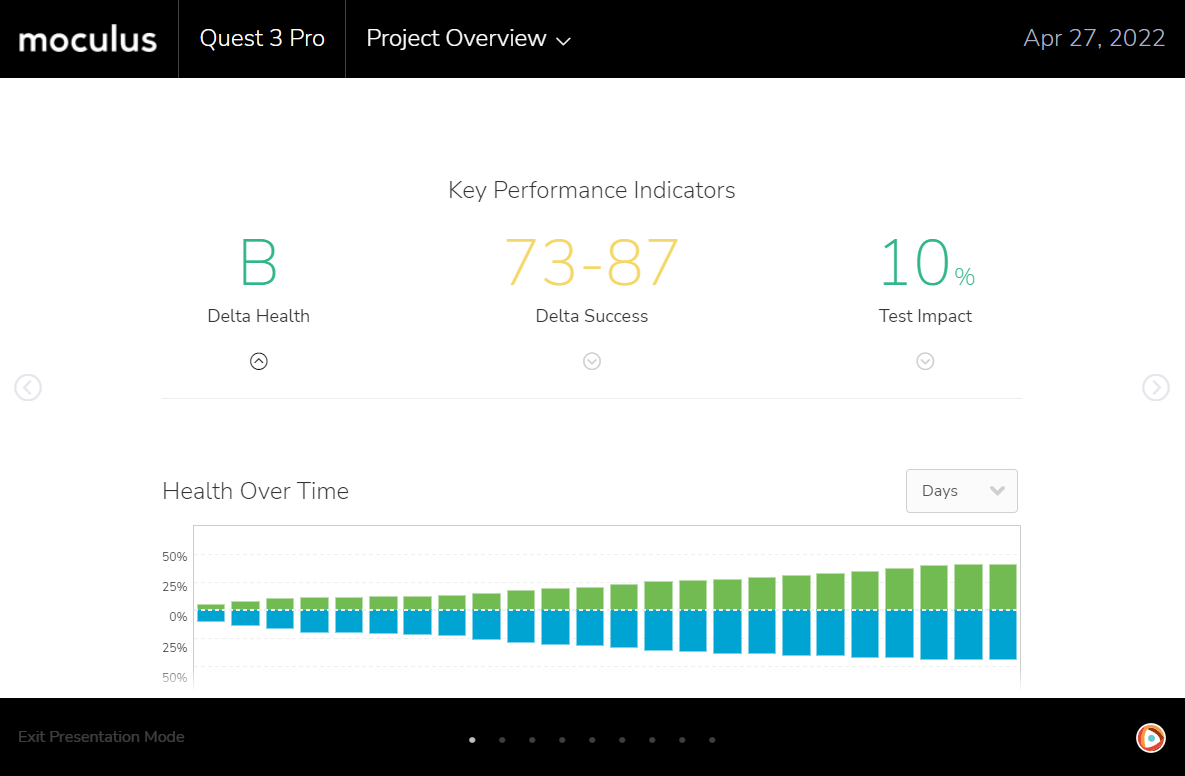
Centercode now automatically generates beautiful data-rich dashboards that summarize your project, phases, features, and much more. The dashboards are highly interactive, may be filtered in real-time, and allow for both direct presentation and sharing. No more decks.

Centercode Mobile App

A native Centercode app allows your testers to engage with all aspects of your test, including providing and collaborating on feedback directly from their iOS or Android devices.

The Everything

Beyond these key features, literally hundreds of other small enhancements cover virtually every corner of the platform. This truly is a monumental release, and one we couldn't be more excited to share with you.