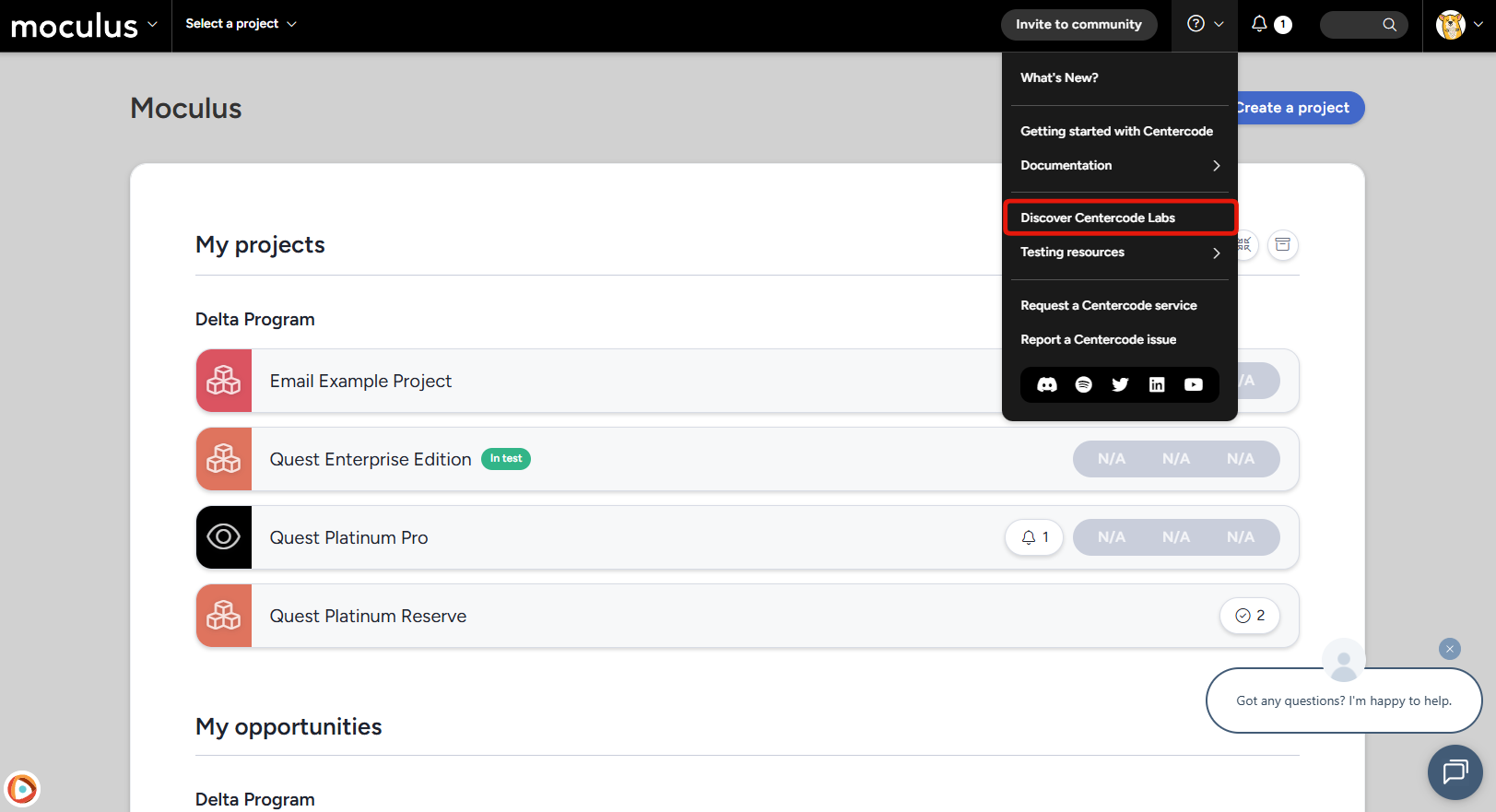
We've been hard at work on a major overhaul of AI-powered feedback tools, and this month they're officially out of GoEarly and into production for everyone. And there's already something new blooming in the GoEarly pipeline: AI Feedback Submission is heading into early access, giving community members a whole new way to share what they're thinking. Want in early? Get signed up now!
New Features
#Reimagined Feedback View
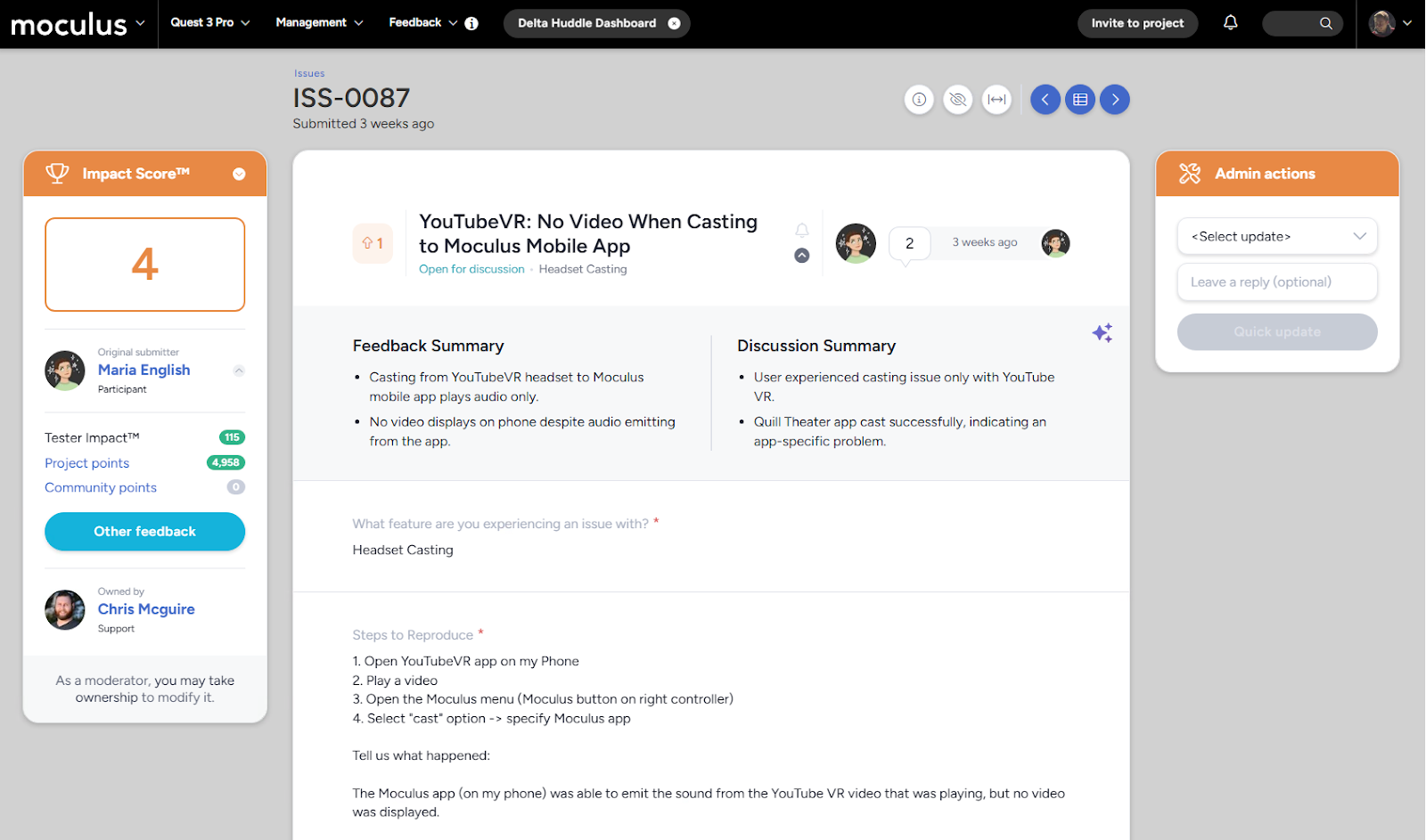
The feedback list has a new look, and it's more than cosmetic. We've overhauled the Feedback View to make navigating and acting on feedback faster, with a cleaner layout and a more consistent experience across the board. Whether you're triaging a full queue or digging into a single ticket, you'll find the controls where you expect them and the information you need front and center.
#AI Feedback Summary and AI Discussion Summary
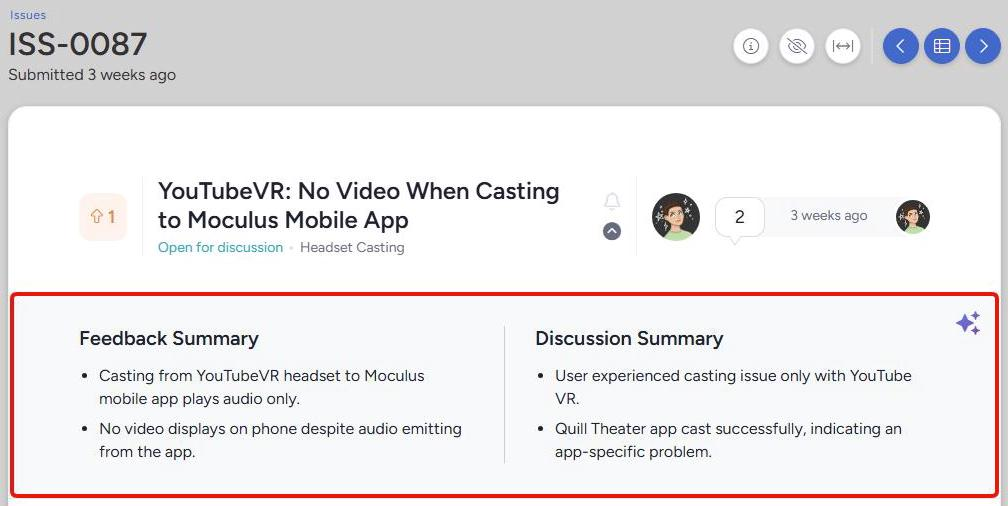
Ted now reads your tickets so you don't have to start from scratch. Two new AI Summary fields are available in Feedback: one that condenses the full ticket into a quick overview, and one that summarizes the entire comment thread separately. Walk into any piece of feedback already up to speed, even if the discussion has been running for weeks.
Both summaries live right on the feedback card and are accessible from two places: expand any card in the feedback list and click the Toggle AI summary button to see them side by side, or open an individual ticket and expand the card just below the header. The Discussion Summary is context-aware, too. It takes the Feedback Summary as input, so it's grounded in the original submission rather than treating the replies in isolation. And when a new reply comes in, the Discussion Summary regenerates automatically.
Admins can enable AI Feedback Summaries per feedback type under Management > Project Configuration > Feedback Types > Modify > Feedback Properties, with the option to add custom instructions per type. For example, you might direct the AI to focus on reproduction steps for issues or emphasize sentiment for ideas. Both summary fields are also available as view and filter columns, with full support in reports, exports, integrations, and email templates as dynamic tags. Check out the AI Feedback Summaries Overview for full setup details.
#AI Reply Generator
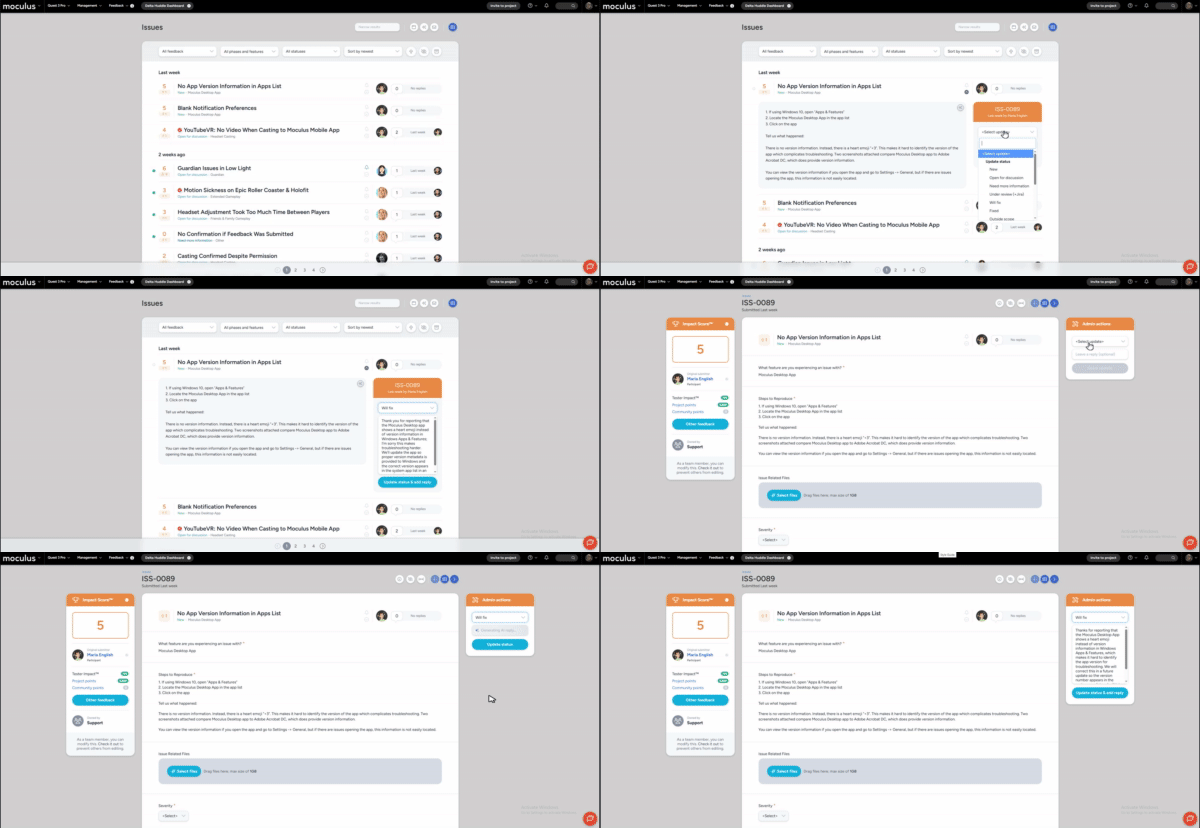
Responding to feedback just got a lot faster. When you change the status on a feedback ticket, the AI Reply Generator automatically drafts a comment for you based on the ticket content and the status you selected. A status change to Need More Info produces a different reply than one to Fixed; the tone and content are tailored to the intent of the update.
The draft appears right in the reply field on the feedback card, accessible from both the feedback list and the individual ticket view. Review it, edit it however you like, and click Update status to post the reply and status change together. You can also clear the field entirely and submit the status update without a reply. Nothing goes out until you say so.
AI Smart Reply Drafts are enabled per feedback type under Management > Project Configuration > Feedback Types > Modify > Feedback Collection and Collaboration. Admins can also configure per-type prompt enhancements to tune the tone of generated replies, whether that's more formal for enterprise programs or more conversational for consumer ones. For full setup details, see the AI Smart Reply Drafts Overview.
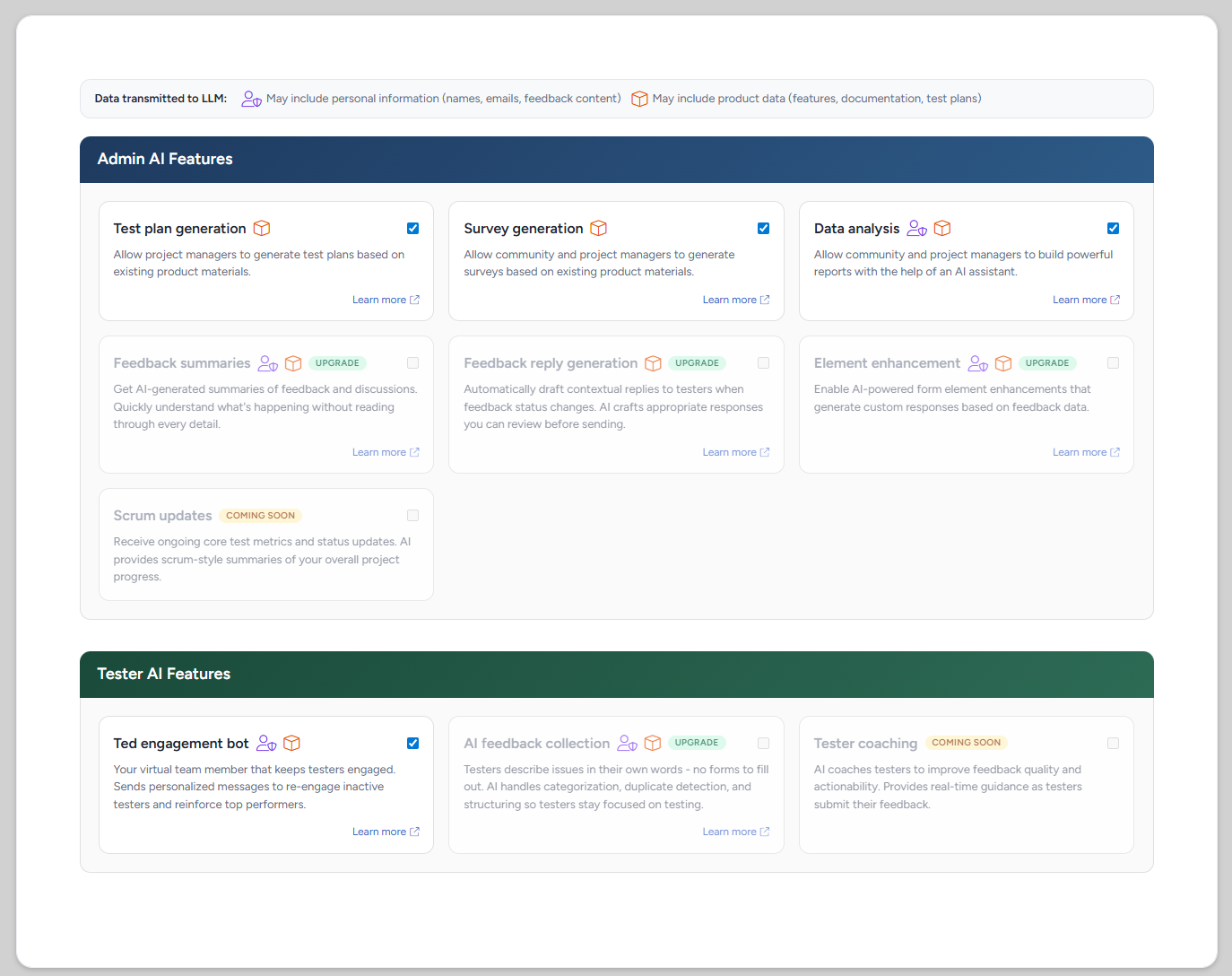
The Community AI settings page has been rebuilt from the ground up. The new design is cleaner and easier to navigate, and it comes with brand-new licensing controls that give admins more direct control over how AI features roll out across their community. If you've been wanting a clearer picture of your AI configuration, this is the page you'll want to revisit.
#GoEarly Features
#AI Feedback Submission and AI Element Enhancement
We've got two big ones headed into GoEarly this month, and both are aimed at making feedback better before it even lands in your queue.
AI Feedback Submission gives community members a new way to share what they're experiencing: they describe it in plain language using the AI Submit button in the project navbar, and AI organizes that input into one or more structured submissions automatically. Members review everything on a provisional screen before anything is finalized, with five minutes to edit, reassign, or discard. There's also a built-in duplicate check that surfaces similar existing feedback so members can vote instead of filing a new entry. On the admin side, a Show original option lets you pull up the member's unedited input alongside the structured result.
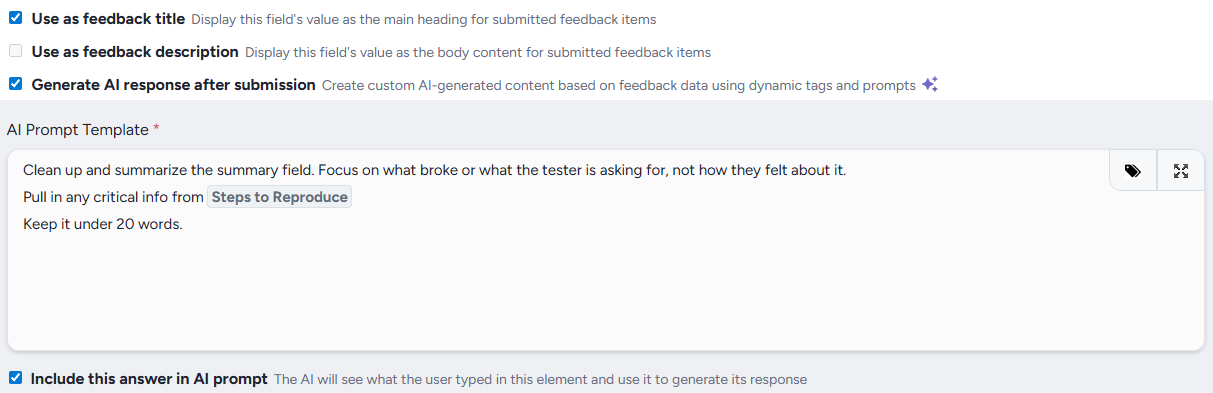
AI Element Enhancement works at the form level. Admins can mark any feedback form field as AI-generated, so after a member submits, AI automatically populates it based on the rest of the submission. A vague title becomes a clean one. A summary field fills itself in. Admins write the prompt and choose which fields feed into it; members just fill out the same form they always have.
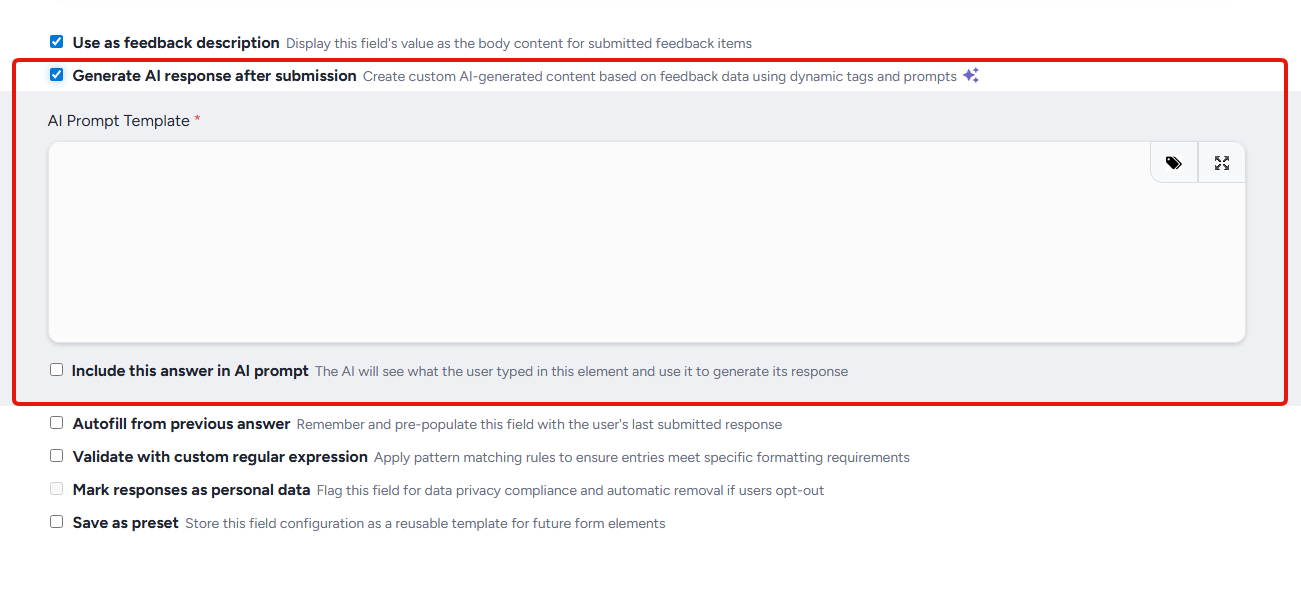
Want early access to both? Get signed up for GoEarly now!
Fixes
#Data Engine & Custom Reports
#File Exports No Longer Tripped Up by Certain File Names
What we fixed: Exporting files from a feedback type could silently produce an incomplete zip if any uploaded files had certain reserved names (like `com1.png` or `aux.txt`). The export would show the right file count in the preview, but the zip would come up short. Those files are now handled properly during export.
See it in action:
- Go to a feedback type that has file attachments
- Run an export that includes files
- Check your zip, all files should be present and accounted for, regardless of their names
#Onboarding/Recruiting
#API Import Invitations Now Accept Custom Messages As Intended
What we fixed: When setting up an API import invitation and trying to add a custom message, the form would incorrectly throw a "Write a custom message" validation error, even though you just did! Custom messages now save as expected.
See it in action:
- Navigate to a project's Recruiting section
- Create or edit an API import invitation type
- Enter a custom message and submit, it'll work without a fuss!
#User Interface & Experience
#Copy Tester-Facing Links from Content and Releases
What we fixed: Well, this one's brand new! Admins can now copy a tester-facing link directly from Content and Releases admin list views — no more manually editing URLs to share with testers.
See it in action:
- Navigate to a Content or Releases admin list view
- Click the clipboard icon on any row
- You'll see a "Link copied!" toast — paste it wherever you need to share it with testers
Good to know: If the short link can't be created for any reason, the full tester-facing URL is copied instead, so you're always covered.
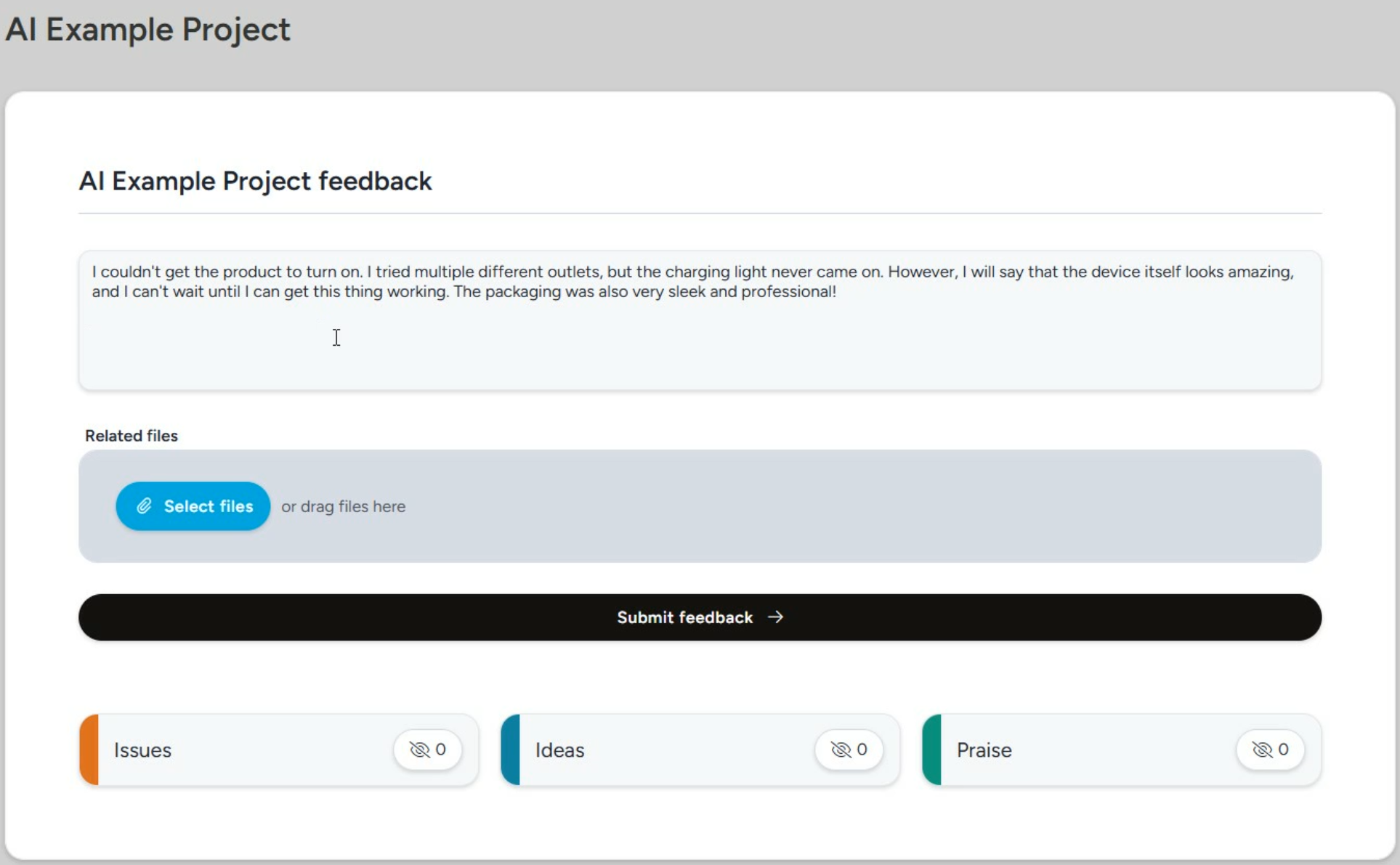 Becomes:
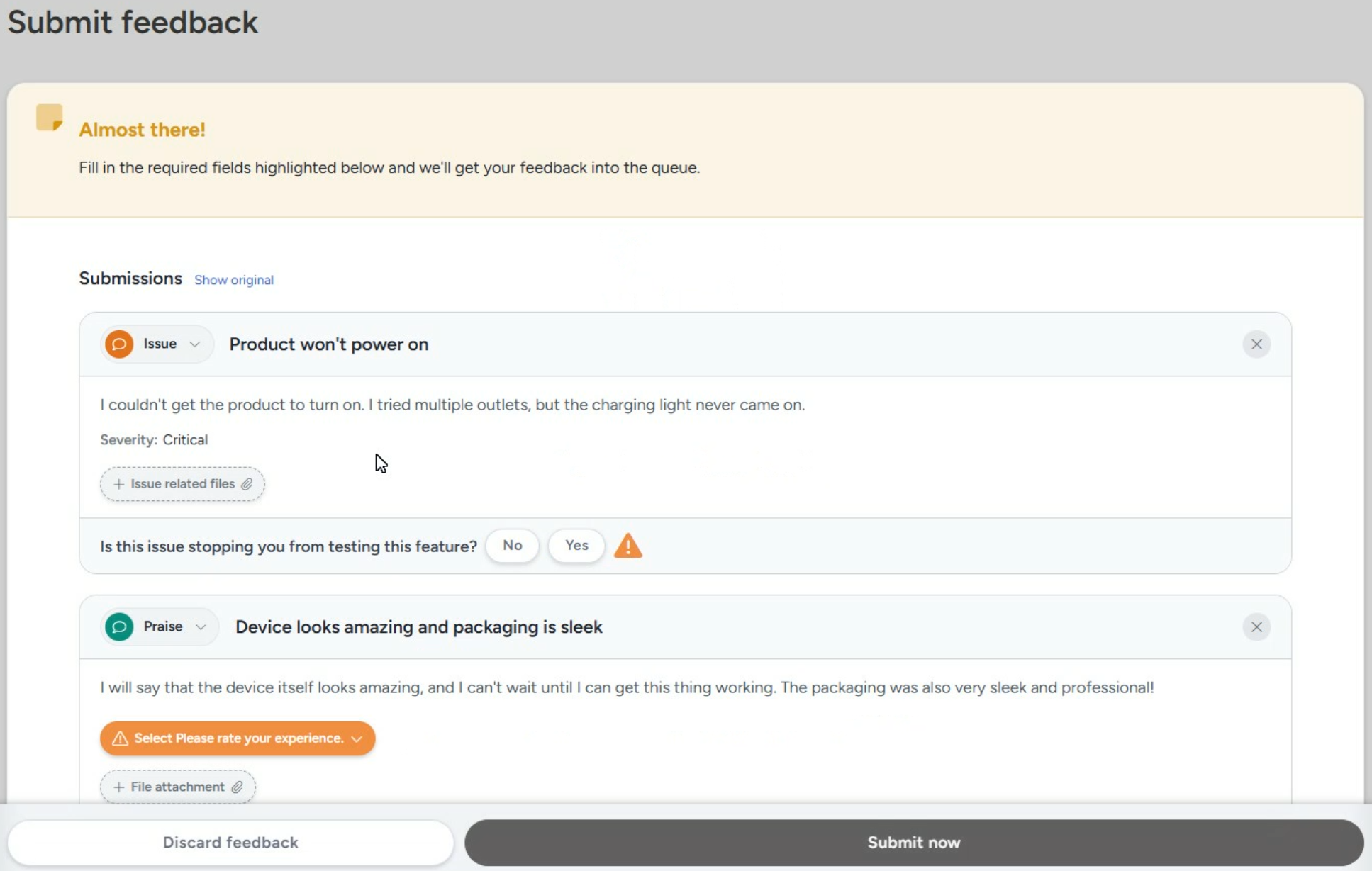 ---
--- ---
---