Fixes
Localization & Strings
- A string change was made for a message in the test plan archive.
- A couple of additional small string adjustments were made in test planning and reporting.
The latest updates and improvements to the Centercode platform.
It's turkey (or your chosen plant-based substitute!) season again! That means it's time to gather together with friends and family and stuff yourselves silly, and Centercode has a new friend we'd like to introduce you to who has a lot to bring to the (proverbial Thanksgiving) table.
We've hinted at it before, and this month we're finally ready to let Ted AI out into the world to show you what he can do! Ted AI marks Centercode's entry into the intelligent tools space, with a new family of smart agents expanding Ted's reach far beyond tester engagement.
In the first (of many to come) batch of Ted AI agents we've got a brand new way to generate actionable test plans for your project that you're going to love. And if that's not enough to whet your appetite, we've got the usual spread of improvements and bug fixes to make sure you leave satisfied. And if you happen to leave some room for dessert, we've got yet another tantalizing set of upcoming AI features in our GoEarly program that you won't want to miss! Sign up here, and get a slice of the action.
The main course for this November's release is a whole new way to generate test plans in a flash! You provide the ingredients, and Ted AI will do the cooking! Centercode's AI test plan generation allows you to use your basic product info, existing product documentation, or a set of custom instructions to instantly create a full set of features and phases, a short focused one-week test, or a set of features you can schedule yourself. Generate a fully featured test plan, complete with a balanced set of features and phases, to help get your project off of the ground, or use what Ted AI whips up as a starting point for a more customized test plan!
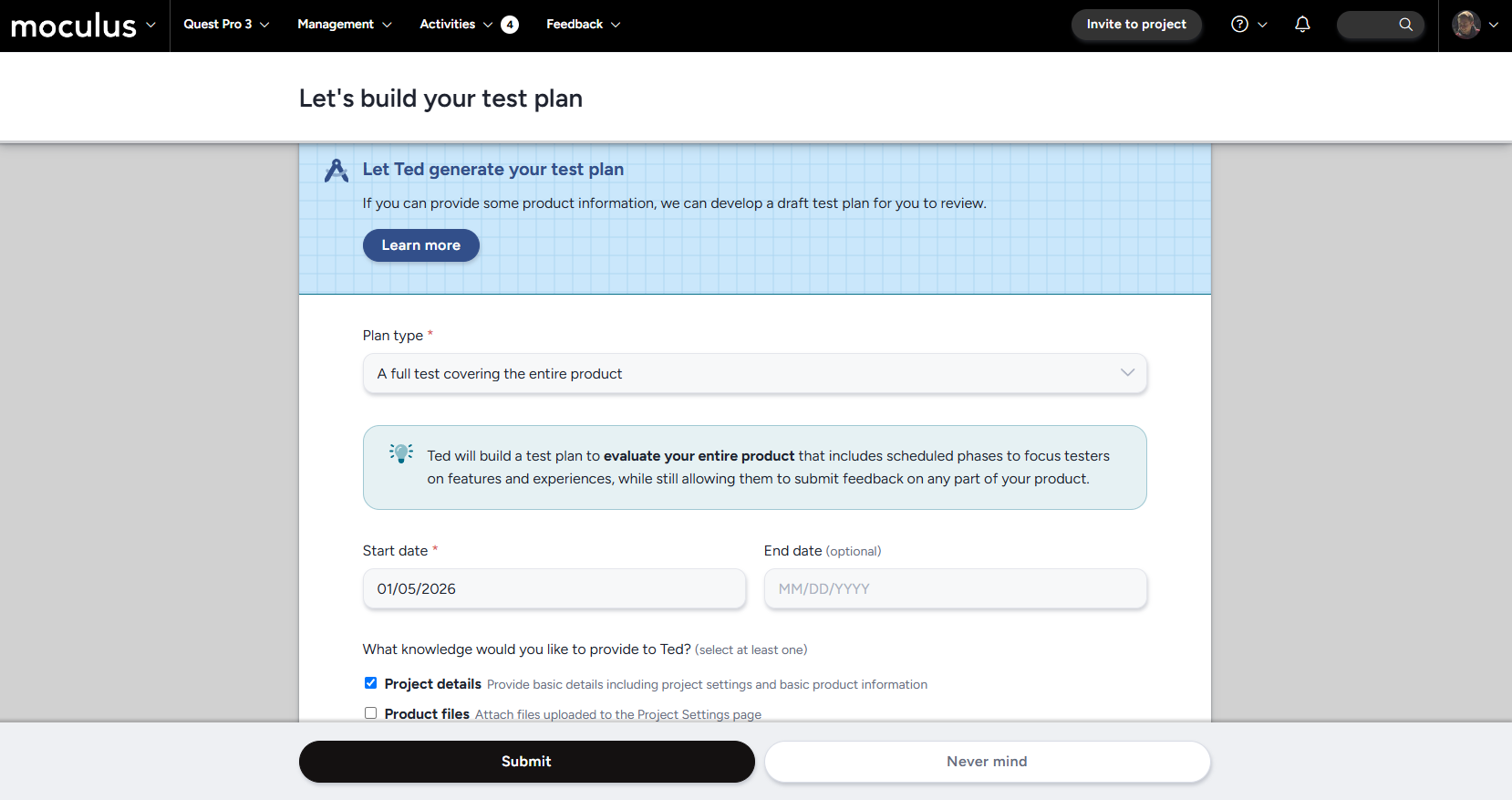
Once you've enabled test plan AI generation in your Community AI settings (learn more here!), simply navigate to the new AI test plan generation tool via a new button located on your test plan management page!
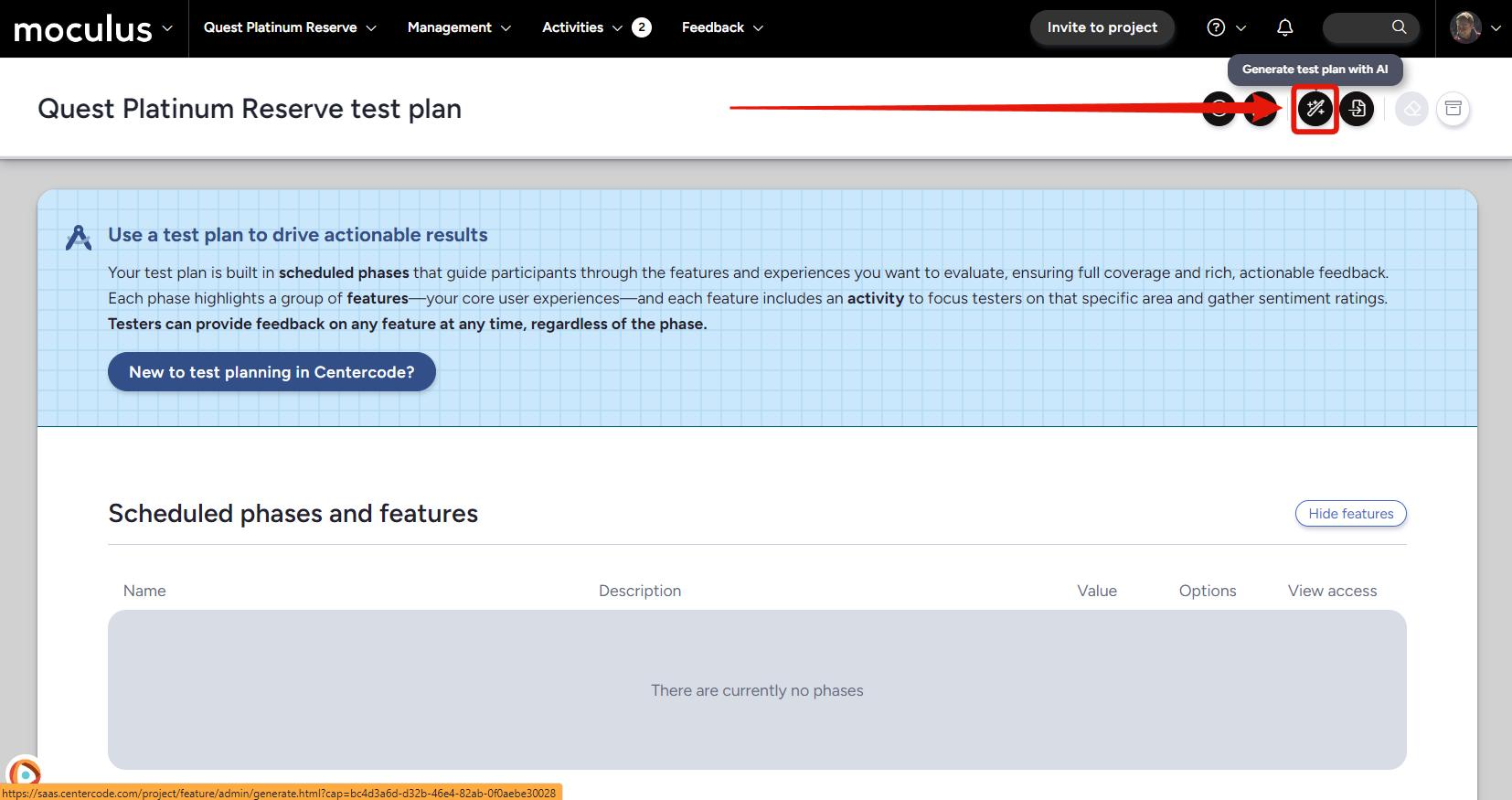
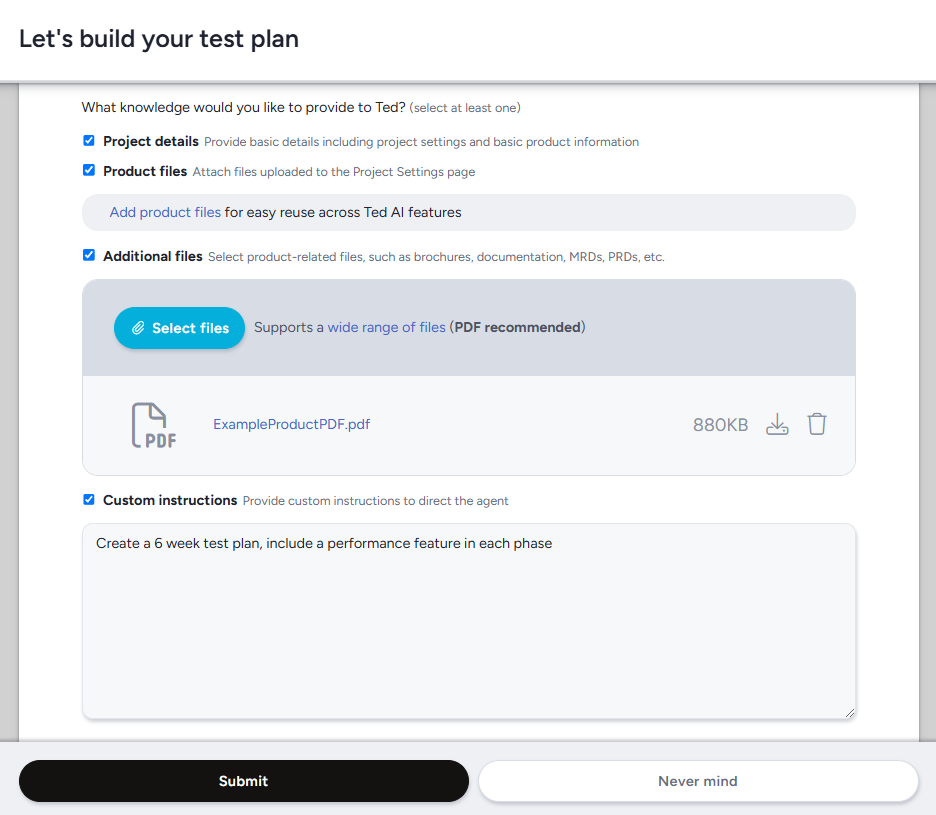
From here you just need to give Ted a few starting parameters, and then as much information as you would like for him to work with (more is better, but you'll be surprised what he can put together with just a few basic details!), and any custom instructions you'd like incorporated into your test plan. After that, simply select the default team access you'd like for your features and phases, hit submit, and let Ted work his magic!
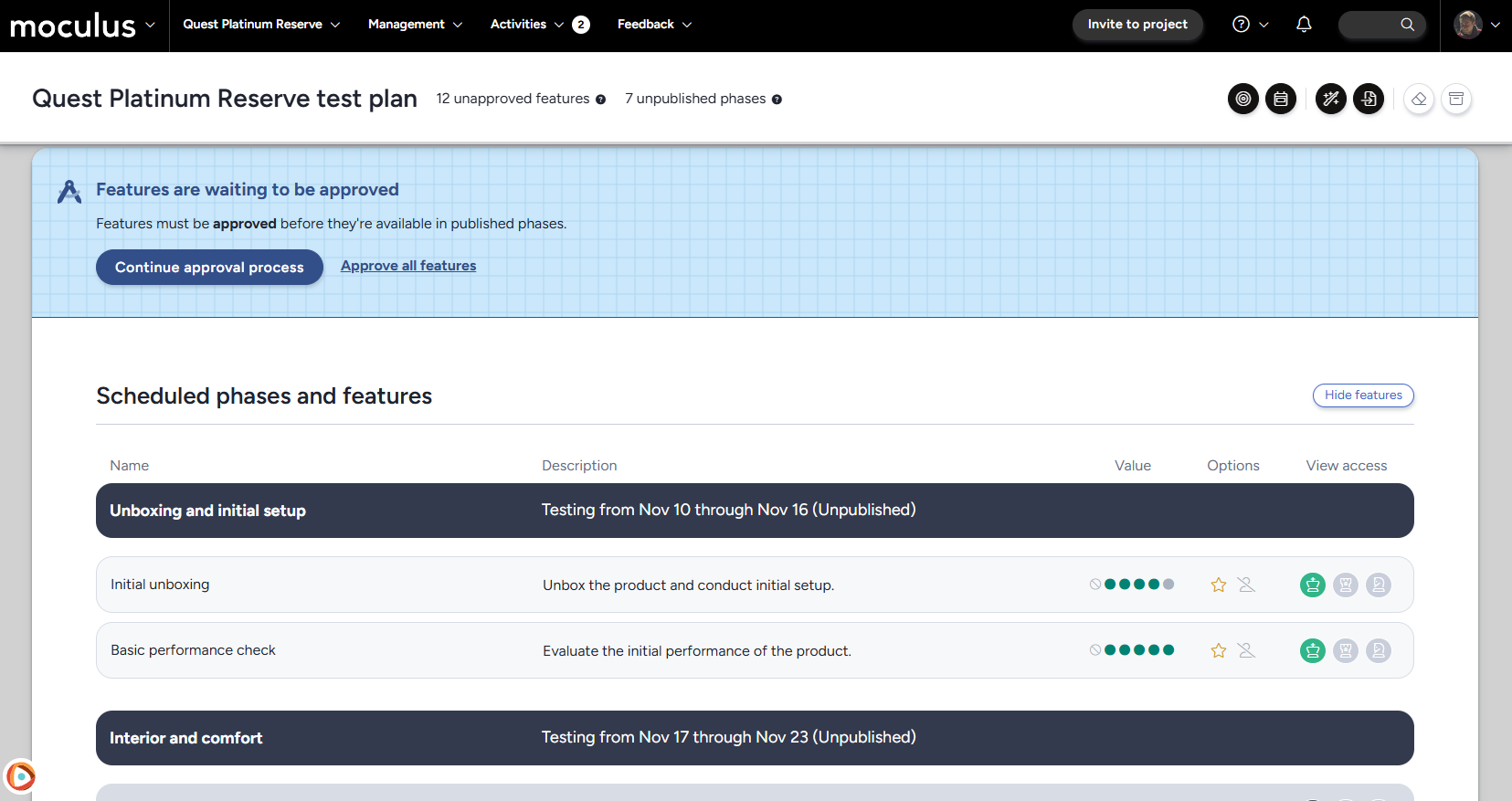
And, voila, a fully featured test plan ready for testing! Simply follow the new test planning infobox prompts (added with last month's release!) and you'll have your test up and running faster than ever before!
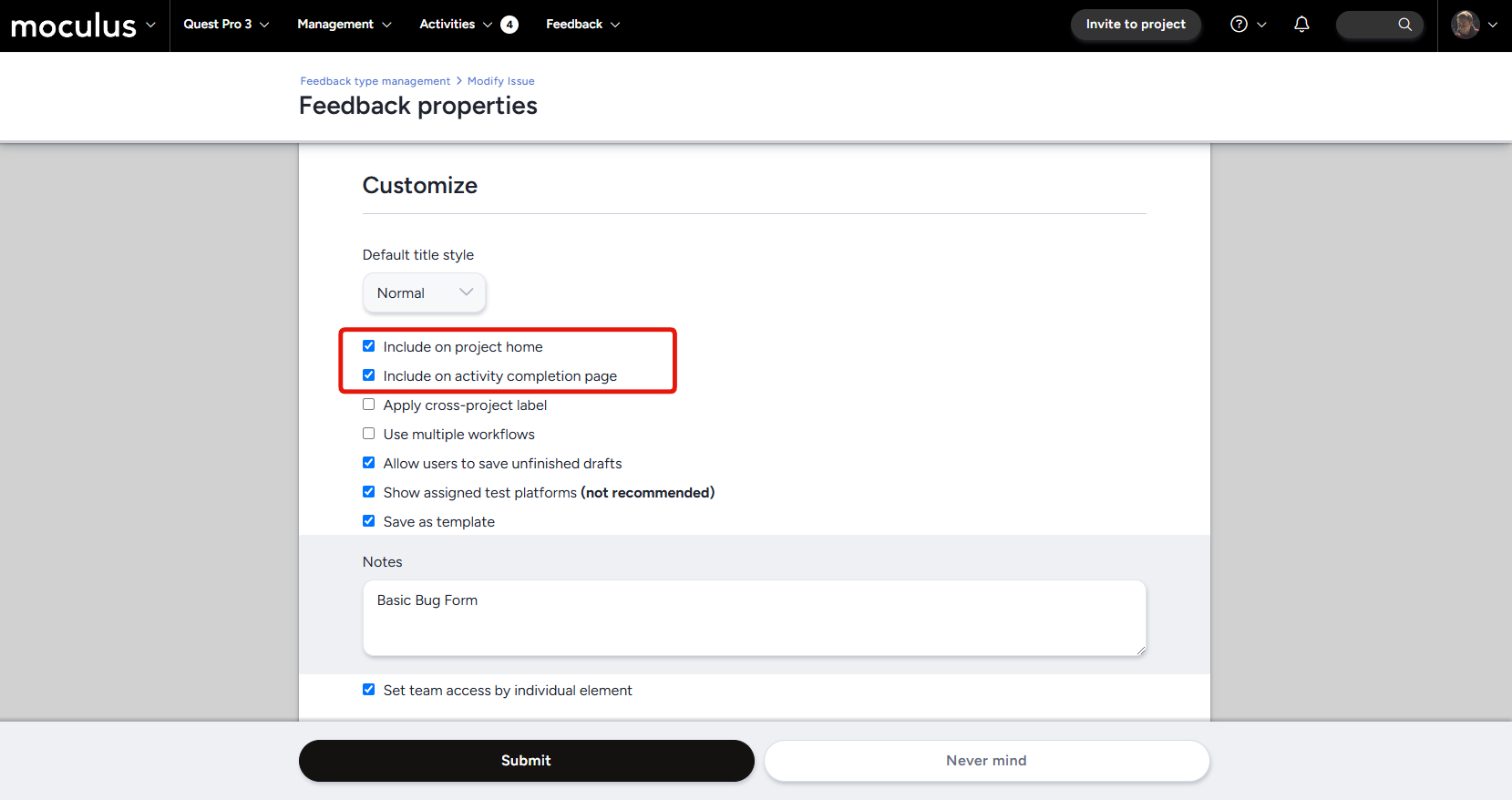
And if all that wasn't exciting enough, we've also got a few additional options and improvements for your project home! A new set of checkboxes in the Feedback properties page of each feedback type lets you individually control which feedback buttons appear at the top of your project home, as well as which feedback buttons are presented on the page shown to testers after they complete an activity. Got a feedback type that doesn't need to be in the limelight, or one you'd particularly like your testers to see after completing an activity? These new checkboxes have got you covered! Additionally, we've removed the percent of activities completed bar from the project home to keep your testers' attention focused on the more information rich list of complete and incomplete features below.
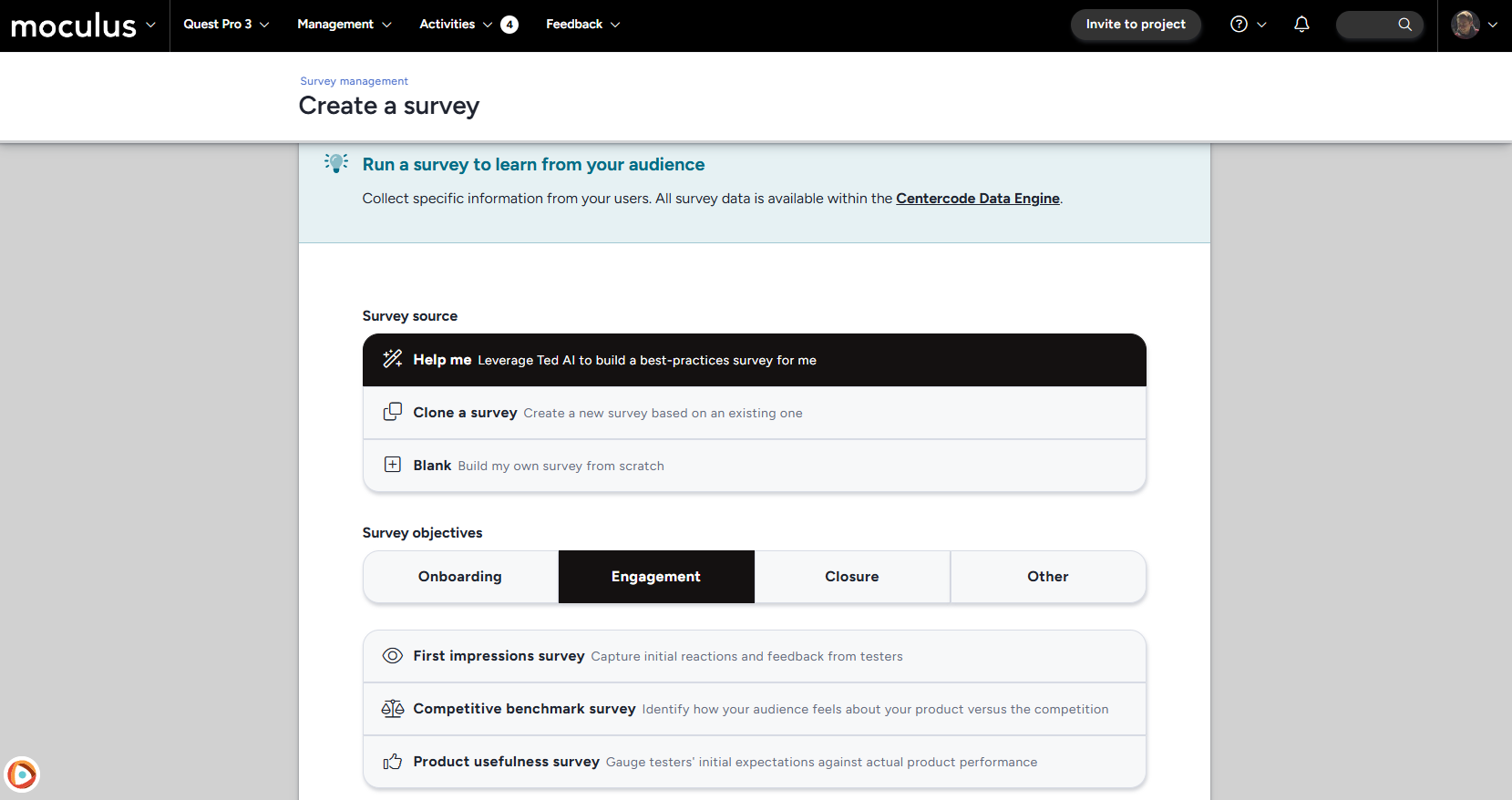
Not one to rest on his laurels (even after a healthy dose of turkey-delivered tryptophan), Ted AI is ready and rarin' to go with his second set of AI tools, this time focused on AI survey generation. Just tell Ted what sort of survey you want to create, and provide a few quick details or specific question you want included and he'll have something ready before you can say "Another slice of pie, please!" Not a member of our GoEarly program yet? There's always room at the table, so sign up now!
Double, double toil and trouble! Spoooky season is upon us once again, and Centercode has a bubbling cauldron of new features and improvements to serve up in October's release (and don't worry we left out the toil and trouble). It's all treats and no tricks here with a brand new set of first-class video and screen recording tools! And that's not all, we dusted the cobwebs off of (before re-adding them for decorative purposes) our test planning interface and added a load of new functionality and information you're sure to find a treat. Bite a little harder into test planning and you'll find a nougaty center of new feature creation options! And, lurking just out of sight, we have some truly frightening(ly useful!) GoEarly features waiting for those brave enough to seek them out. Click here to sign up now!
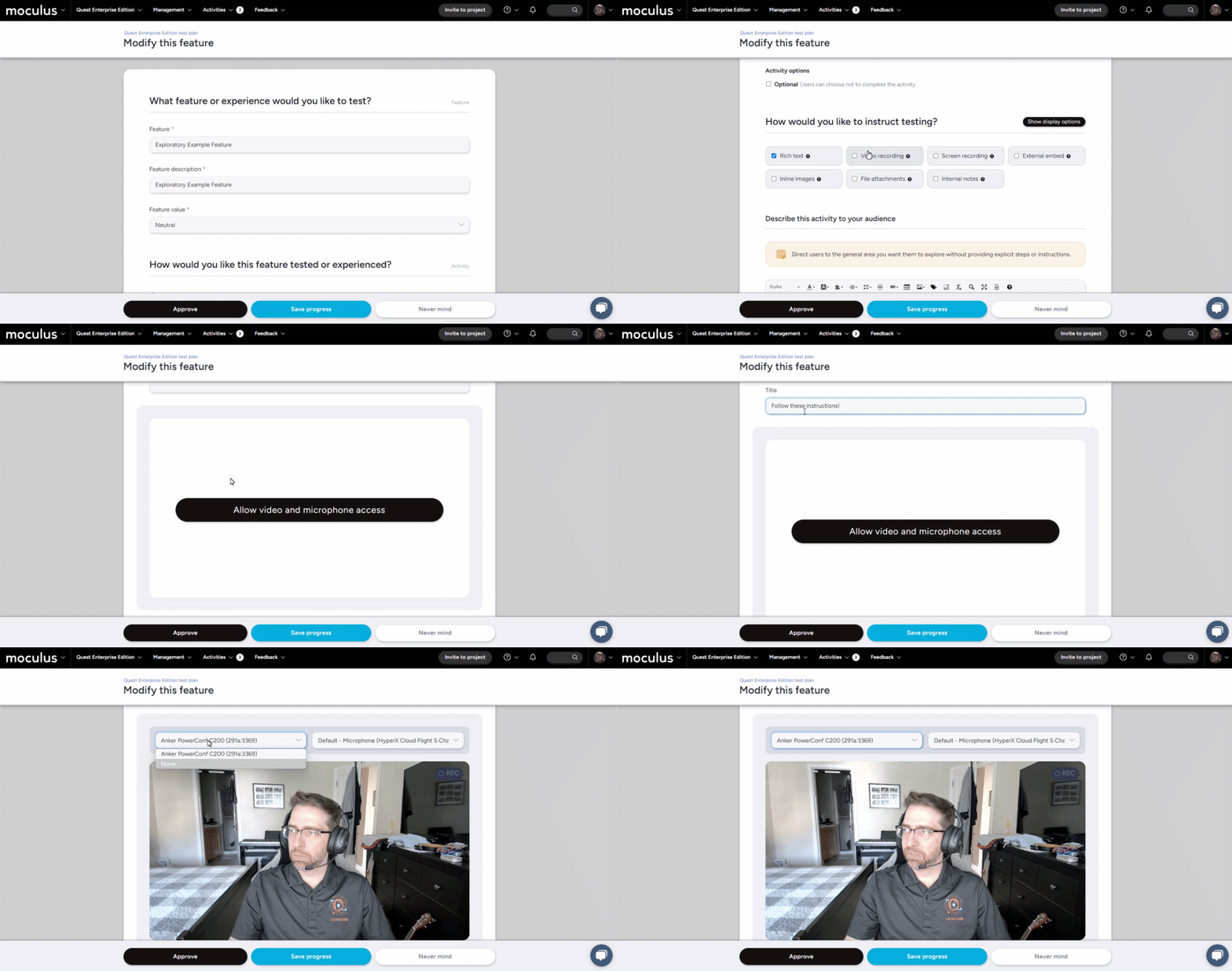
First up, we've got an amazing new first-class suite of media tools that will redefine how you can interact and engage with your testers. These new tools enable you to natively record and share video or screen recordings with your testers in any resource (features, content, and releases). Now you can give precise, in-depth instructions or product descriptions to your testers without ever leaving the Centercode interface.
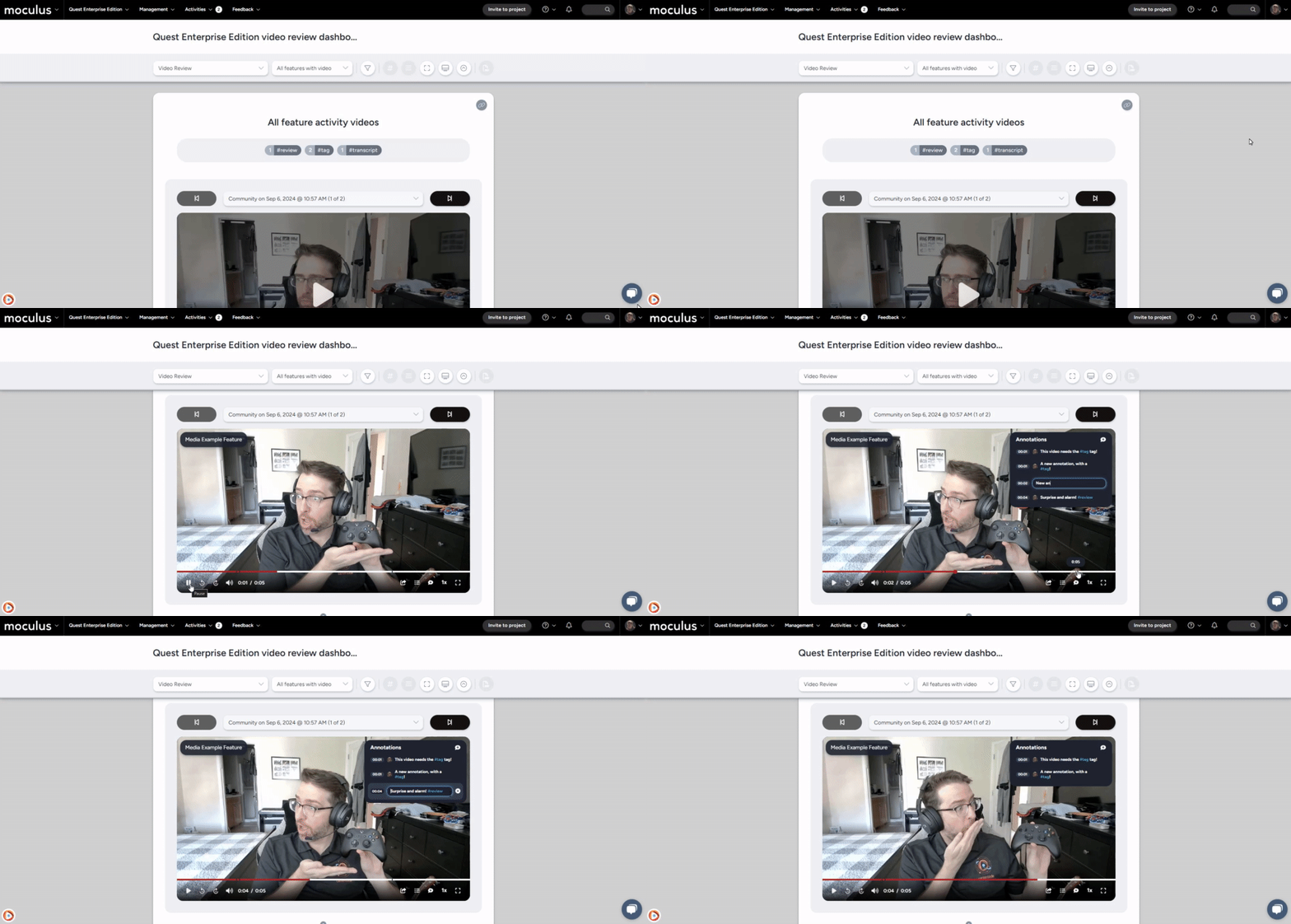
Once you've recorded these videos, Centercode now includes a powerful suite of video editing and review tools to enrich the functionality of your recorded videos, including automatic video transcription, and built-in video annotation options!
Hope you brought the BIG plastic pumpkin bucket, we've got a lot of Test Planning treats for you! We've revamped the Test Planning page to guide you from importing a test plan to finalizing your phases and features in advance, to approve and publish them when you're ready. Additionally, the new "Quick modify" feature allows you to make changes to aspects of features, such as feature names, descriptions, instructions, and value straight from the Test Planning page. We’ve also added helpful new infoboxes to keep you informed about the status of your test and highlight any items that need your attention.
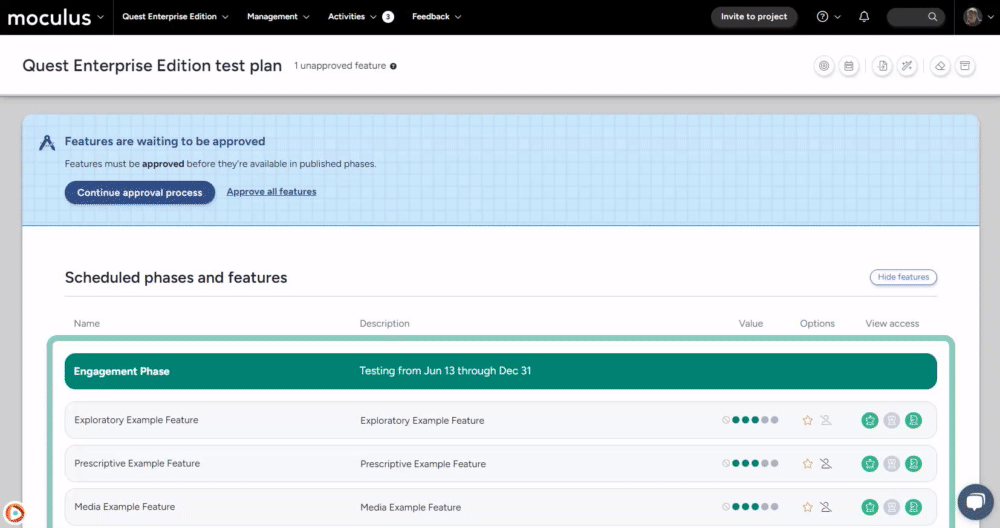
We're excited to introduce a major overhaul of the feature creation process. The new, intuitive splash page simplifies feature creation, and a brand-new feature intent selection section guides you through defining the purpose of your activity and testing process. After selecting your intended feature intent, the platform will automatically populate the appropriate fields, including some helpful infoboxes to give you an idea of the sort of instructions you could provide to optimize testers’ engagement with your activities. These intents also include three options that are directly tied to the new media tools, allowing you to collect video interviews, screen recordings, or live experiences via webcams or mobile phone cameras from your testers, all from within the platform!
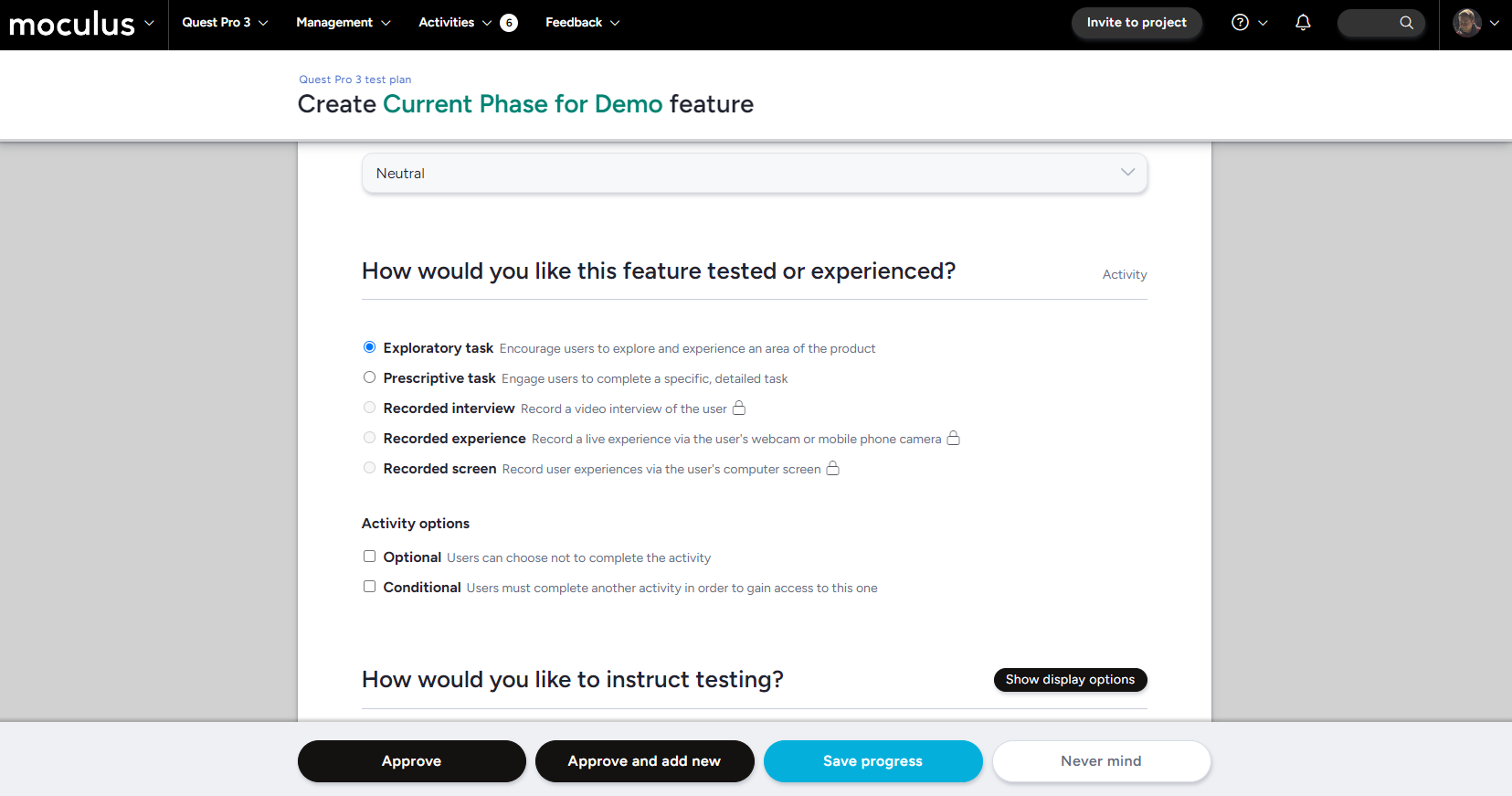
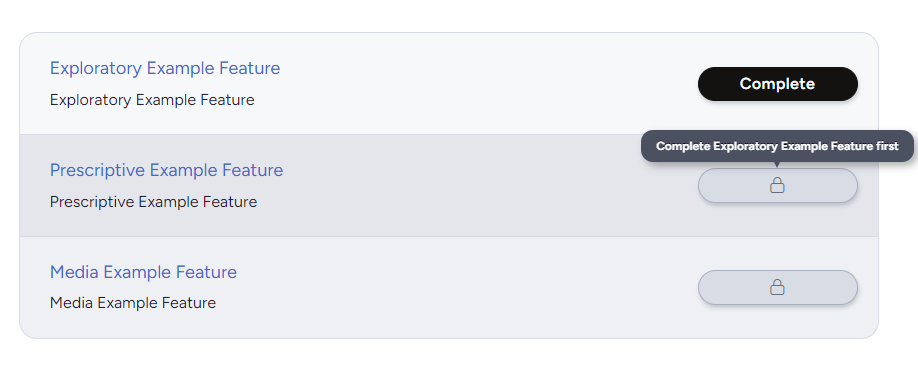
We've also included several user-requested features, such as the option to make feature availability conditional on the completion of other features (to make sure your users complete features in a certain order) and following activity completion with bespoke custom surveys!
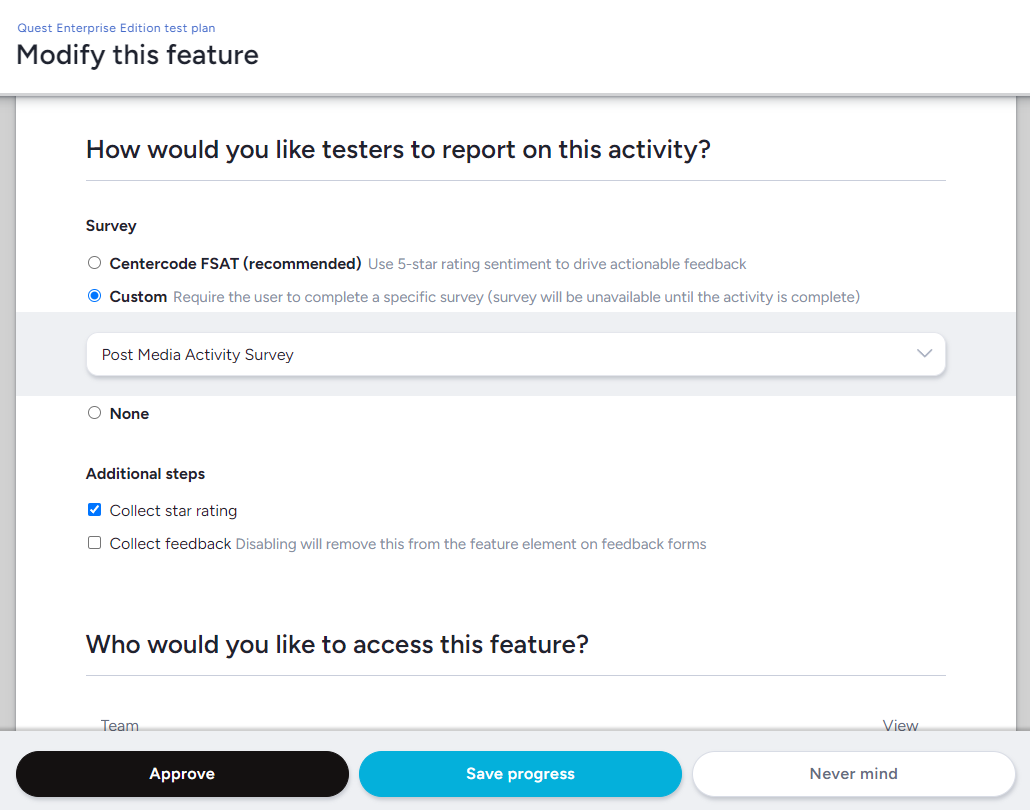
This also includes more detailed post-activity feedback collection options, such as the ability to collect star ratings independent of the full FSAT system, as well as the ability to tie a custom survey directly to an activity.
This month's GoEarly release introduces something we here at Centercode have all been excited about for a very long time: Our first super rad AI feature (of many to come)! We don't want to say too much before you're able to get your hands on it, but trust me folks, you don't want to miss this one. In addition, we've got a few other exciting features we're continuing to improve! Want to learn more? Sign up now!
It's September, and Fall is (or soon will be) upon us! That means cooler weather, falling leaves, and the smell of warm apple pie on the breeze (or more likely out of a scented candle for those of us too lazy to bake). And boy, does Centercode have some delicious new features crisping up in the oven! But all good things require patience, and they're not quite ready to be served yet. Given how big of a deal GoEarly is this month, we’ve included a candid note from Centercode CEO, Luke Freiler down below!
Not participating in our GoEarly program? Click here to sign up now, and get your hands on these features as soon as possible!
Hi all,
Our new preview release is being handled a bit differently than usual, as we're focusing on not only new features and enhancements, but also a brand new Centercode product, which we're not quite ready to announce publicly just yet.
If you're a member of our GoEarly community you will have received an email with further details, inviting you to participate as usual. If you're not, but are curious - feel free to sign up here, and we'd be happy to add you to the test team!
Thanks,
Luke Freiler
CEO @ Centercode
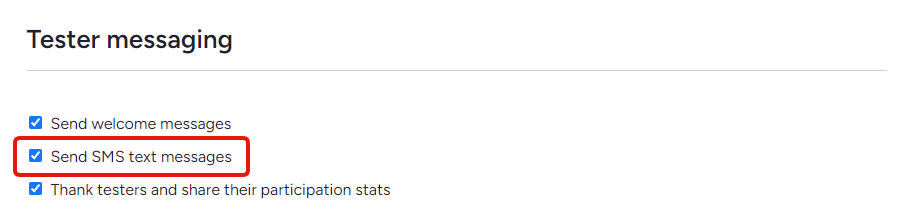
The engagement bot (Ted by default) leverages multiple means of engagement to ensure you and your testers are well aware of what's happening in your tests. This month, we've added the ability to turn off SMS messaging from the bot. It's uncommon for the bot to resort to texting — typically only in "emergencies" — but this option will make sure that Ted sticks to email correspondence.
This week's patch fixes a highly impactful issue that we discovered this week. Please take a moment to consider how this issue may have affected your program's filters. Projects cloned from custom templates between June and September may be affected, so please review any automation based on user or feedback filters in projects created during this window, or contact help@centercode.com for support.
The sun is beating down, things are heating up, and here at Centercode, we thought a set of cool enhancements might be just the breath of fresh air you need! The August release contains a new feature designed to help you get your project off of the ground, as well as a few pesky bugs zapped!
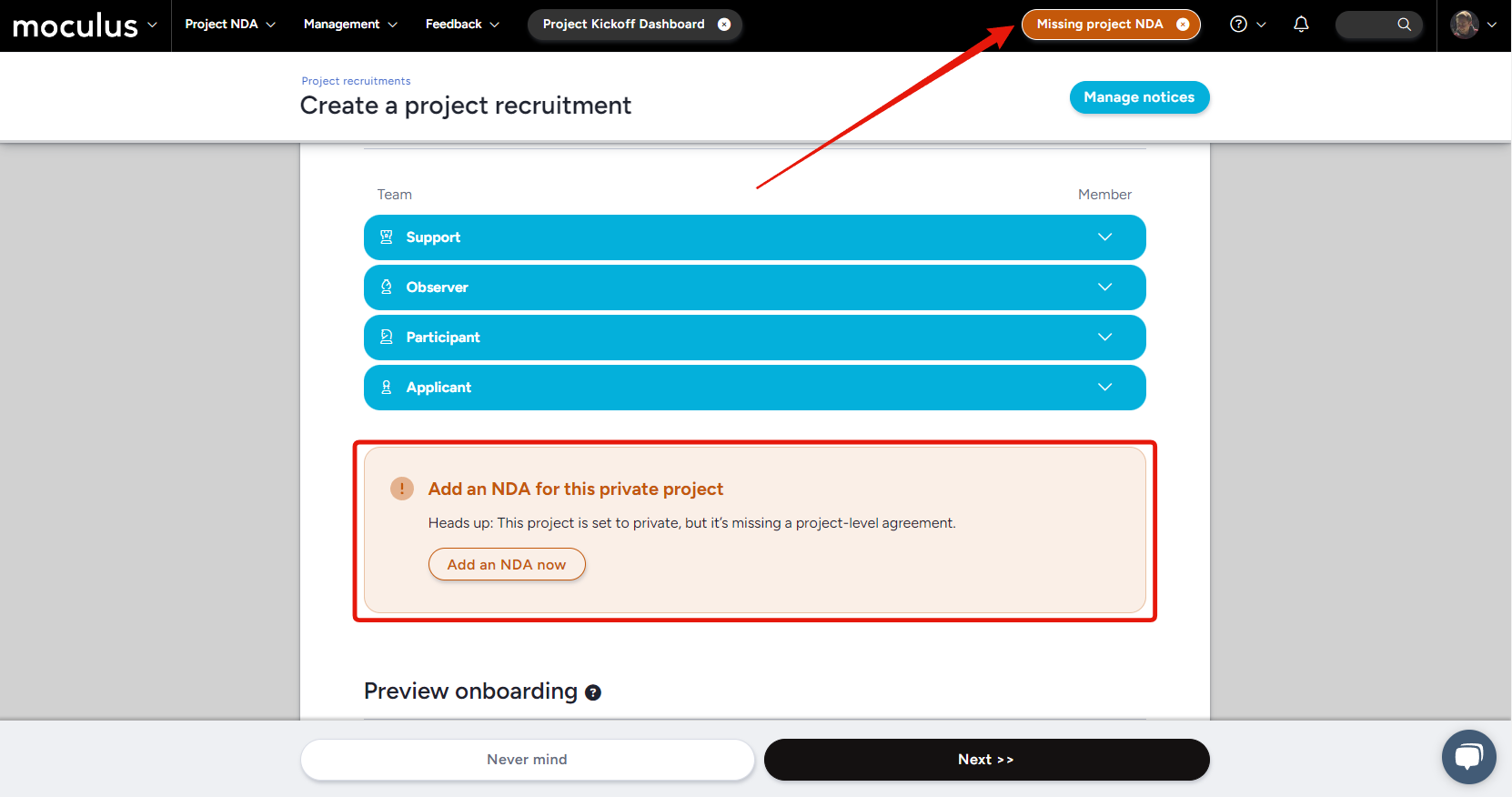
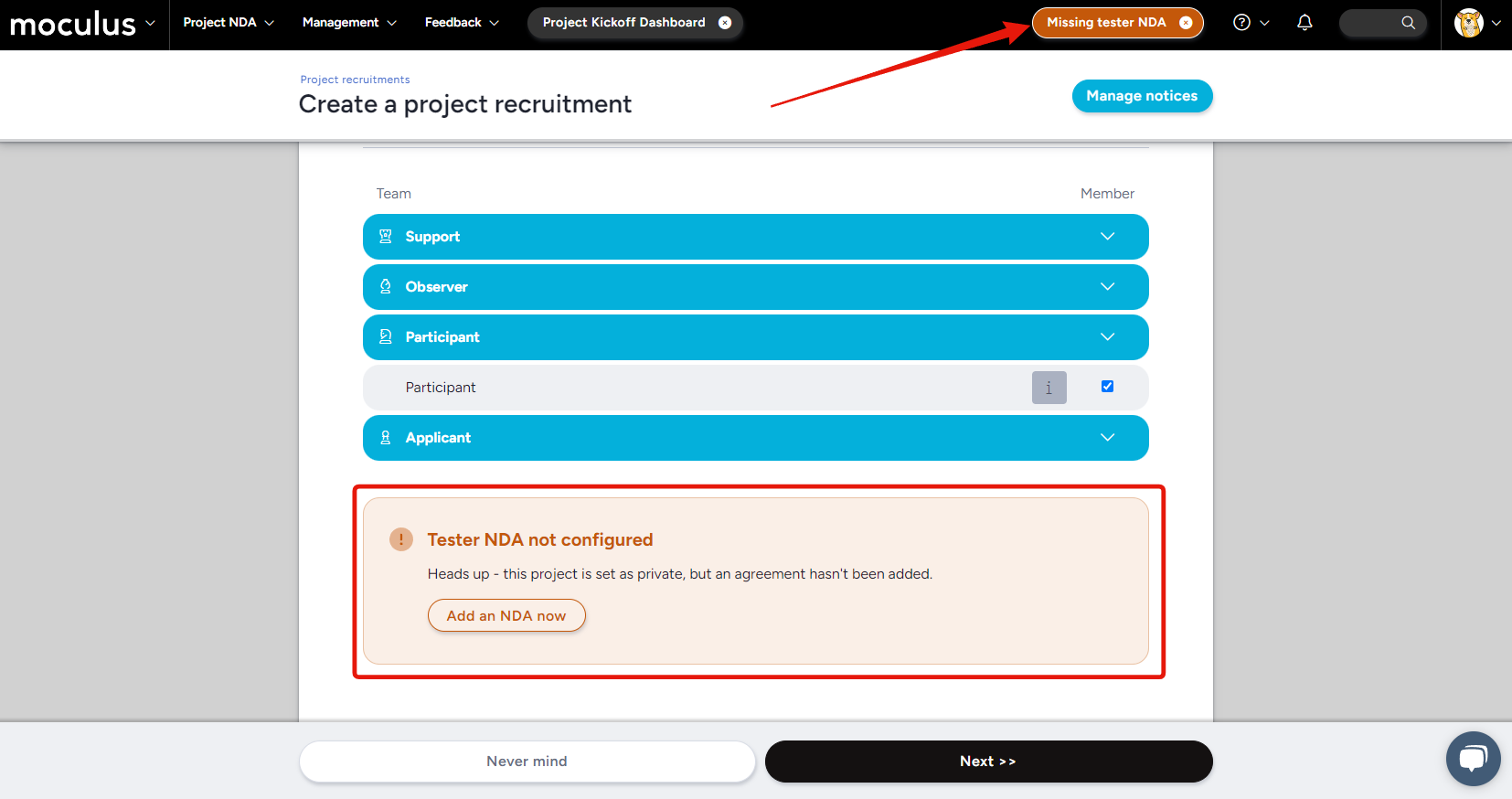
Protecting your project privacy is important (almost as important as protecting your skin!), and this brand new feature coming out of our GoEarly program adds an extra layer of protection to your program. We've added a combo of warning banners and infoboxes to let you know if you don't have a project-level NDA set up in your notice process in any project marked as private.
A new button will take the place of your "Invite to project" button, letting you know that you're missing an NDA for your participant teams. Clicking it will take you right where you need to go to get one set up! Warning infoboxes will also show up anywhere you might add testers, such as the Invite to project interface, recruiting pages (shown below), and invite type pages. Not setting up an NDA for your project (or already have one configured at the community level), or simply don't need the reminder? No problem! Dismissing the button in the menu will return it to the "Invite to project" button, and you'll never see these warnings again in that project.
July always starts with a bang, and the explosive new features in Centercode's July release will make sure it ends with one as well! We've got two huge reporting-related crowd-pleasers this month guaranteed to spark some oohs and aahs, as well as some exciting new GoEarly features and bug fixes. So get your sparklers ready, and enjoy the show! 💥
BOOM! Exploding out of the gate is our first new feature this month, report-level filters! This handy new tool, available at the "Modify this report" level view, allows you to set filters that apply to every report element using a specific data source (ie. user data, specific feedback types, etc.) Instead of setting up a filter on each element in a report with multiple elements, you can ensure you're seeing the same set of filtered data in each element by setting up a report-level filter!
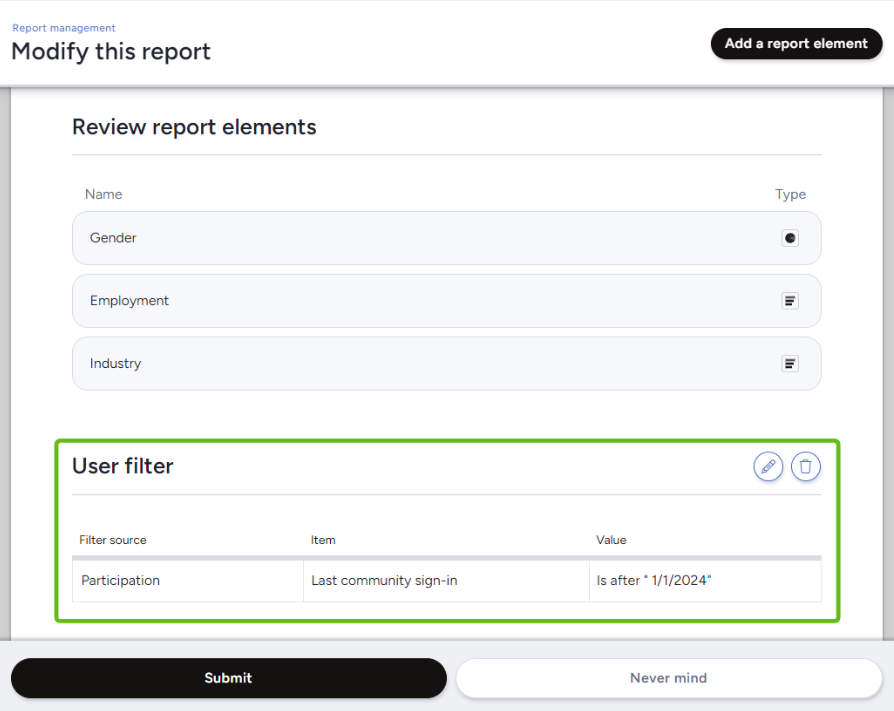
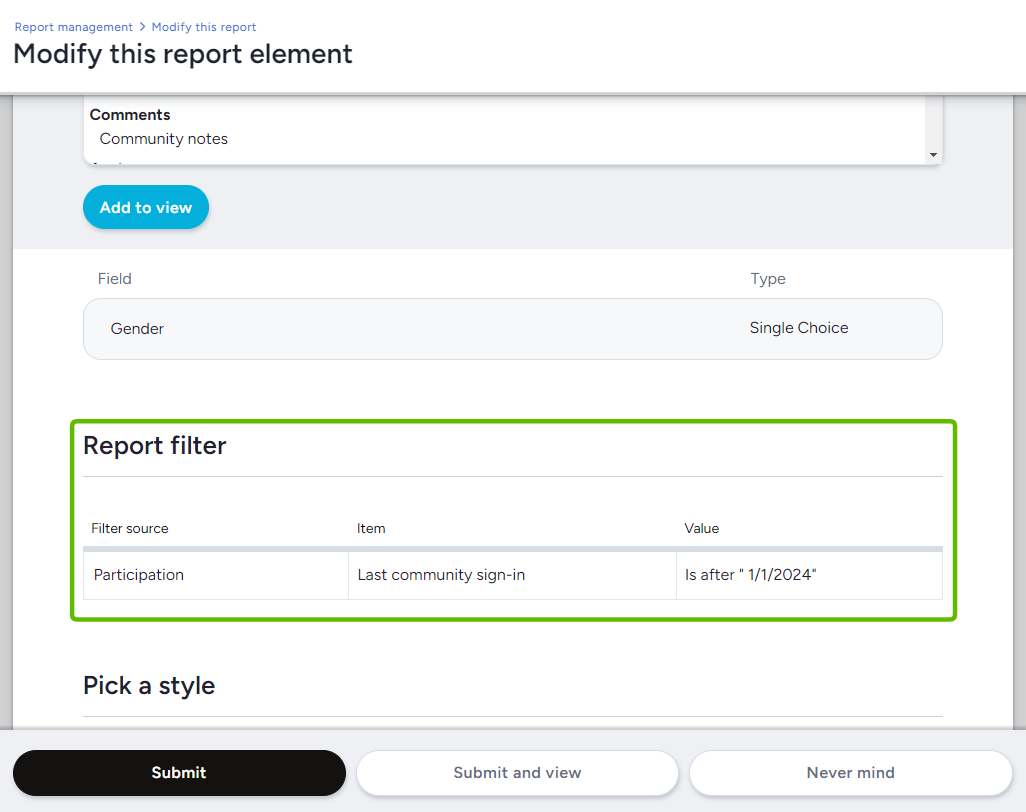
After configuring your report-level filter, every report element using the same data source will automatically use the report-level filter that you created, both saving you time and ensuring that you're viewing the same subset of data in each of your report elements!
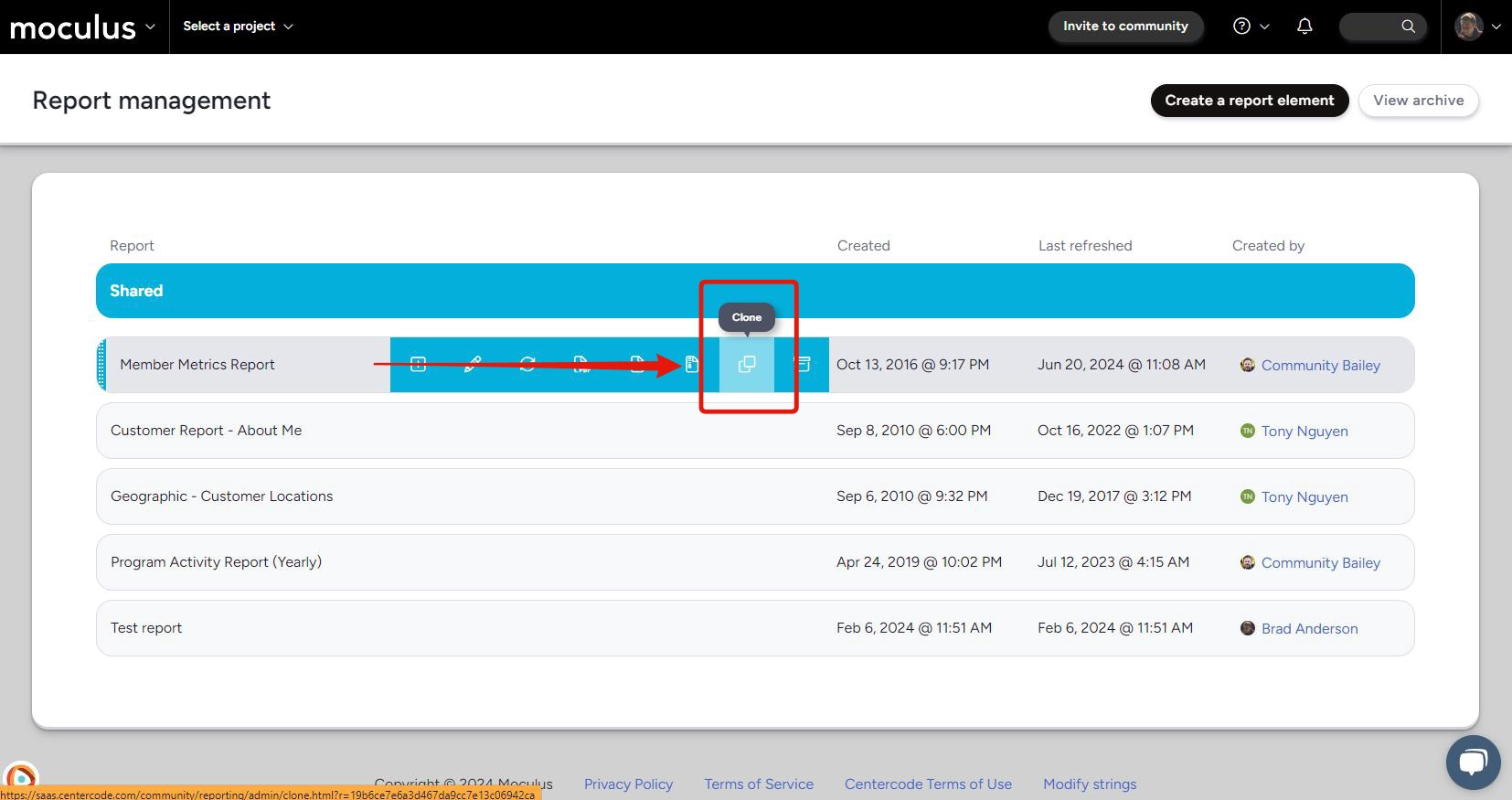
And now, the one you've all been clamoring for (one of our most frequently requested new features!), report cloning! This brand-new feature gives you the ability to generate a clone of a report at the click of a button! Got an in-depth complicated report set up just the way you want, but need a version that applies to a different subset of users? Simply hit "Clone" in the report management screen and you'll have an exact copy of your existing report ready for tweaking! Combine this with our new report-level filters and you'll have that data on that new set of users in your hands in minutes!
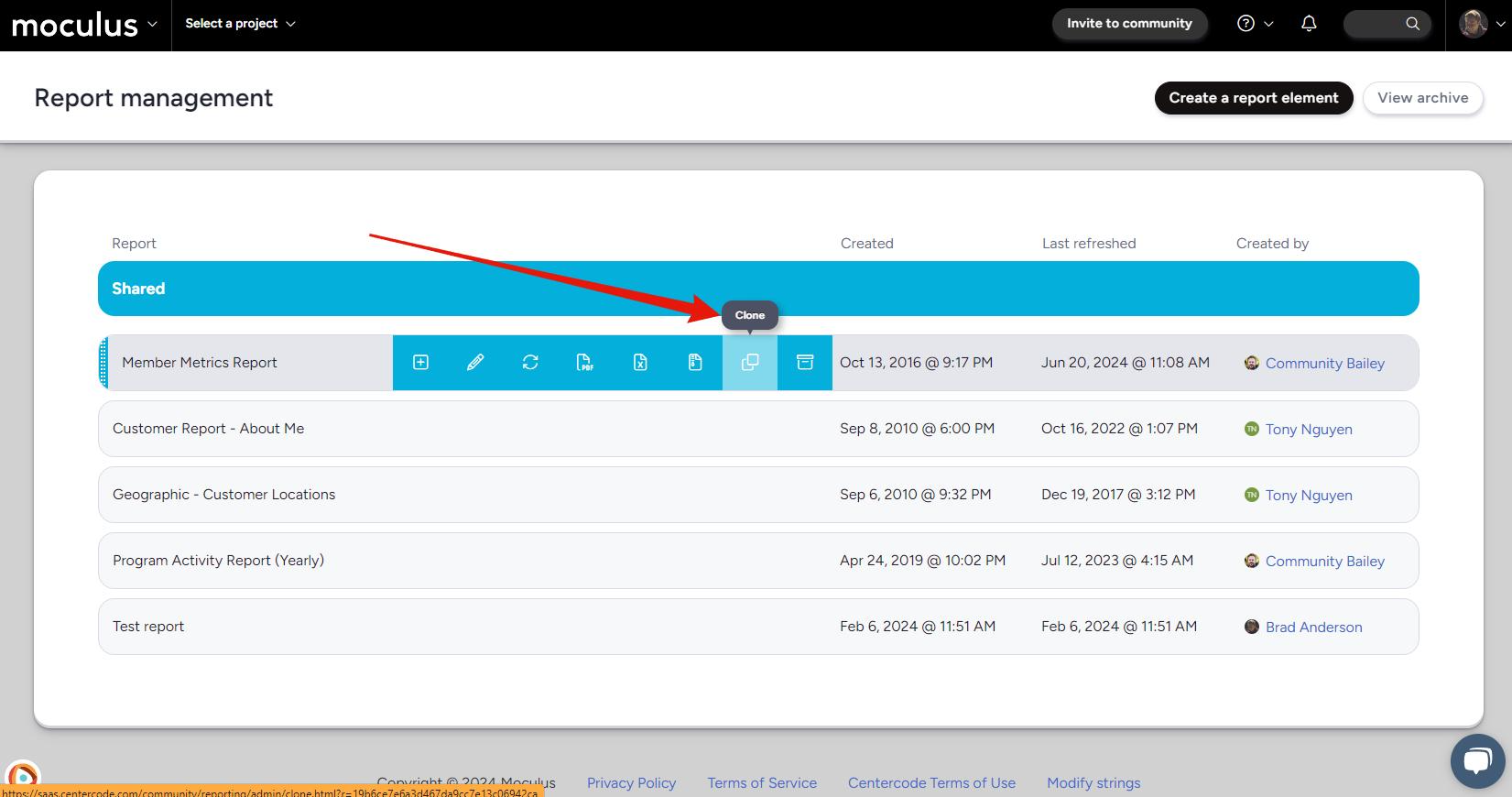
Not sure if your testers have signed everything they need to before getting their hands on your test product? No problem! Our GoEarly feature for this month is a new NDA reminder system designed to notify project managers if their tests set to "Private" exposure have tester-facing project-level NDAs. Get some peace of mind before you hit that invite to project button!
If you’re not already participating in our GoEarly program, sign up here to get your hands on these new updates before they go live!
What is that delicious smell? That's right, it's summer, and that means cook-out season! Centercode is serving up a few grilled-to-perfection new features and improvements to help get your summer started off right! A sleek and condensed new way to view your community home project list (for if your backyard cookout has escalated into a full-on block party!), as well as a few tasty new items for the Centercode Data Engine to help you get your data customized just the way you want! And that's not all—we've got a few big improvements coming down the line for your Centercode reports. If you're a member of our GoEarly program, you can get their hands on them now!
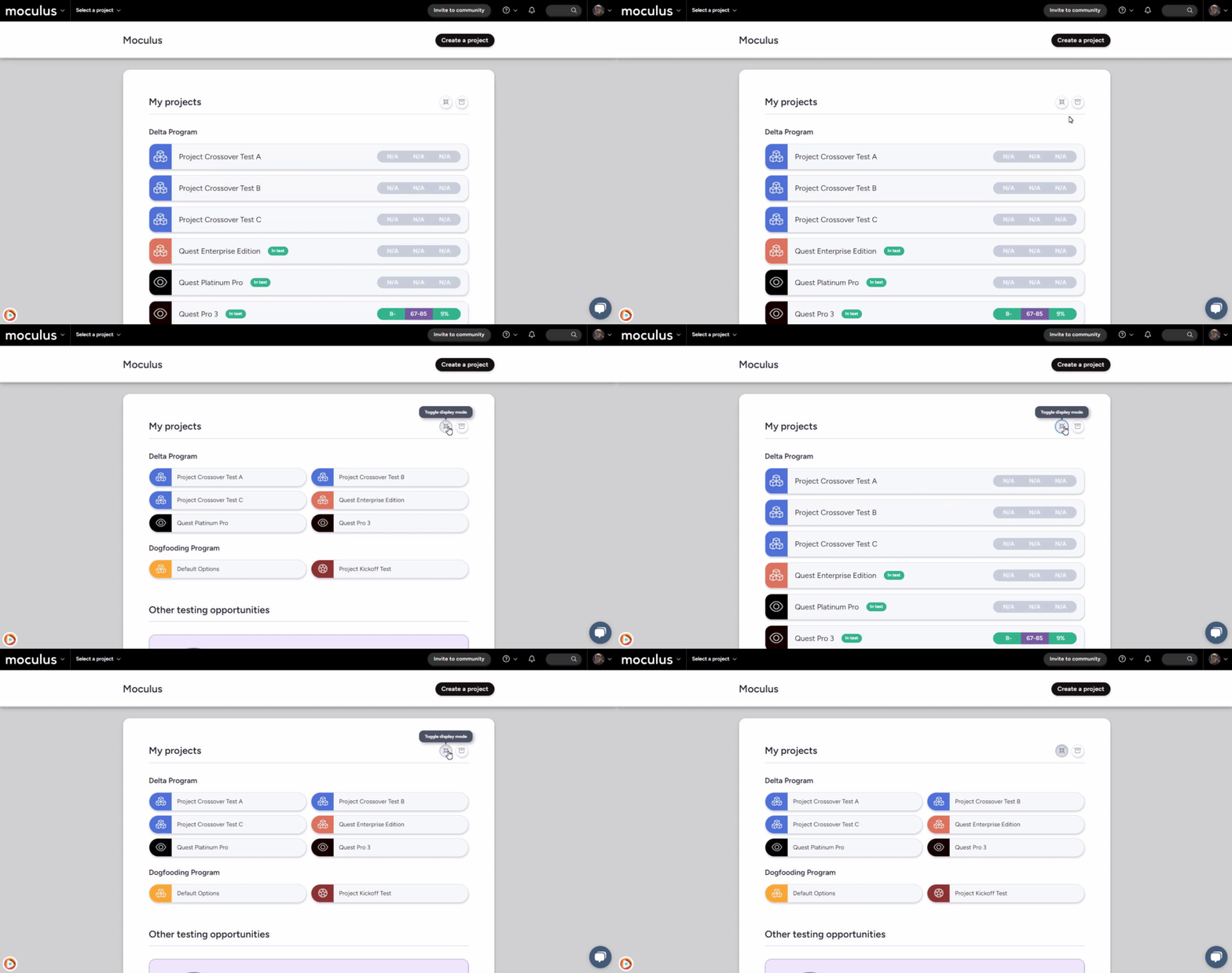
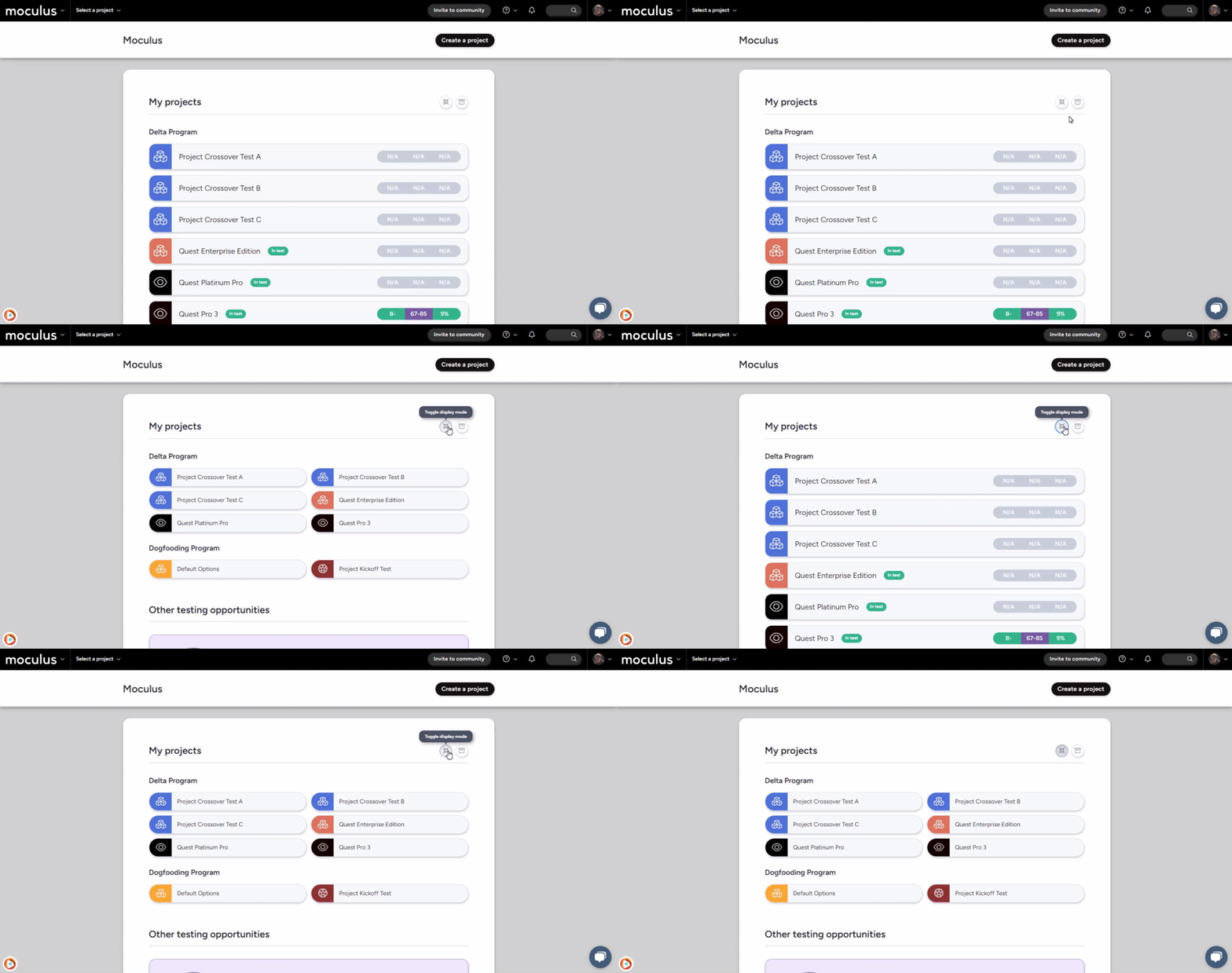
Hold out those plates! First up, we've got a brand-new way to view your Centercode community home: a condensed project list into a series of more manageable and easy-to-read buttons. Simply click the new "Toggle display mode" button located in the upper right corner of your community home project list to swap between the standard and condensed view on the fly, giving both admins and testers an easy new way to scan through long project lists!
Next on our list we've got a whole host of new CDE items for the Centercode Data Eengine. Available for both filters and views, the focus of these new data items is on providing new insights on overall project timelines and participation.
Click here for a full list of the new data items and the data types and groups they are listed under!
Exciting news this month for our GoEarly members! We've got two brand new time-saving features coming to reports. First up, we've got one you've all been clamoring for and one of our MOST requested improvements: report cloning! Create a clone of an existing report that you can tweak to your heart's content while leaving the original untouched! And that's not all— we've also got a brand new report-level filter system, allowing you to create a single filter at the report level that you can choose to apply to all elements within the report.
If you’re not already participating in our GoEarly program, sign up here to get your hands on these new updates before they go live!
Santa Claus is off for the year, and the Easter Bunny has come and gone, but is the lack of a nearby gift-giving holiday going to stop us from showering you with an absolute avalanche of updates and bug fixes? Heck no! It's time for another Centercode 🎊DevJam🎊!
Just like last time, we gathered up a huge number of fast-but-super-impactful bugs and improvements from nearly every area of the platform. Our devs competed to implement the highest number, the most valuable, and the most anticipated improvements. At the end of this round, you're getting nearly a hundred bug fixes, UI tweaks, and string clarifications (listed in detail below!) And that's not all—we've also got great new features and data engine improvements coming to our GoEarly servers, so power through that DevJam list and check those out as well!
And here it is! The List™! Just like last time we’ve highlighted a few of the bigger changes and summarized the rest. You’re welcome to reach out to us via in-site chat or email if you’d like clarification on any of these items!
Here’s a short list of the most impactful, important, and shiniest updates from this DevJam:
When hovering a survey, a count will display displaying completion stats
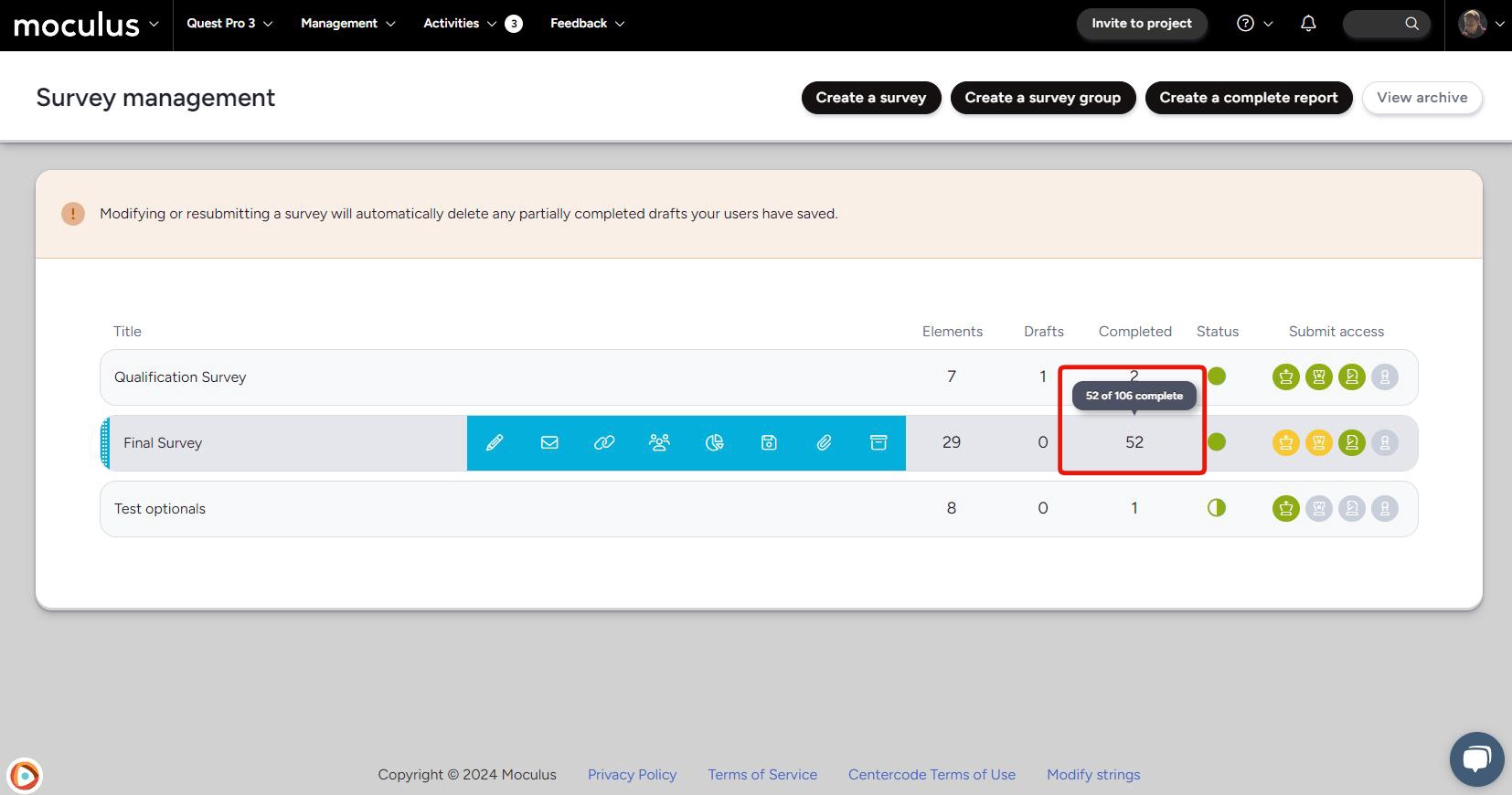
Hover over a survey's 'Completed' number to see how many users completed it out of those with access.
Increased the character limit when customizing Ted’s name
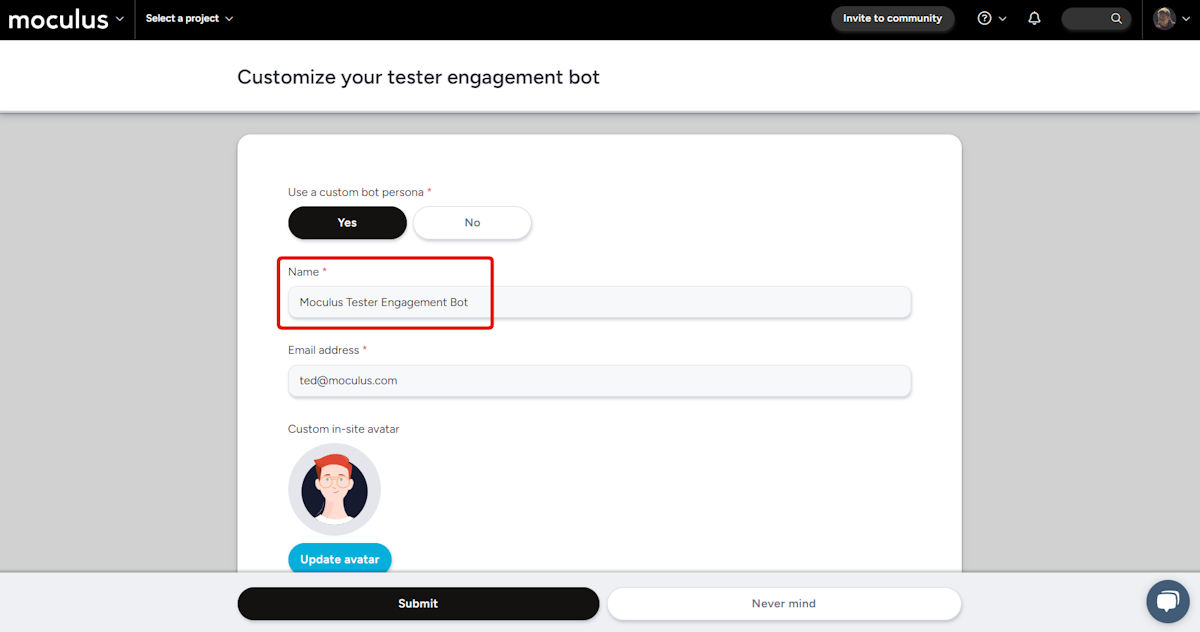
Doubled the number of characters available for the tester engagement bot from 15 to 30! Get creative with Ted's name, or include the entire name of your community to keep things clear for your user testing products from multiple companies!
The Converted pill within invite types is now linked to a User view
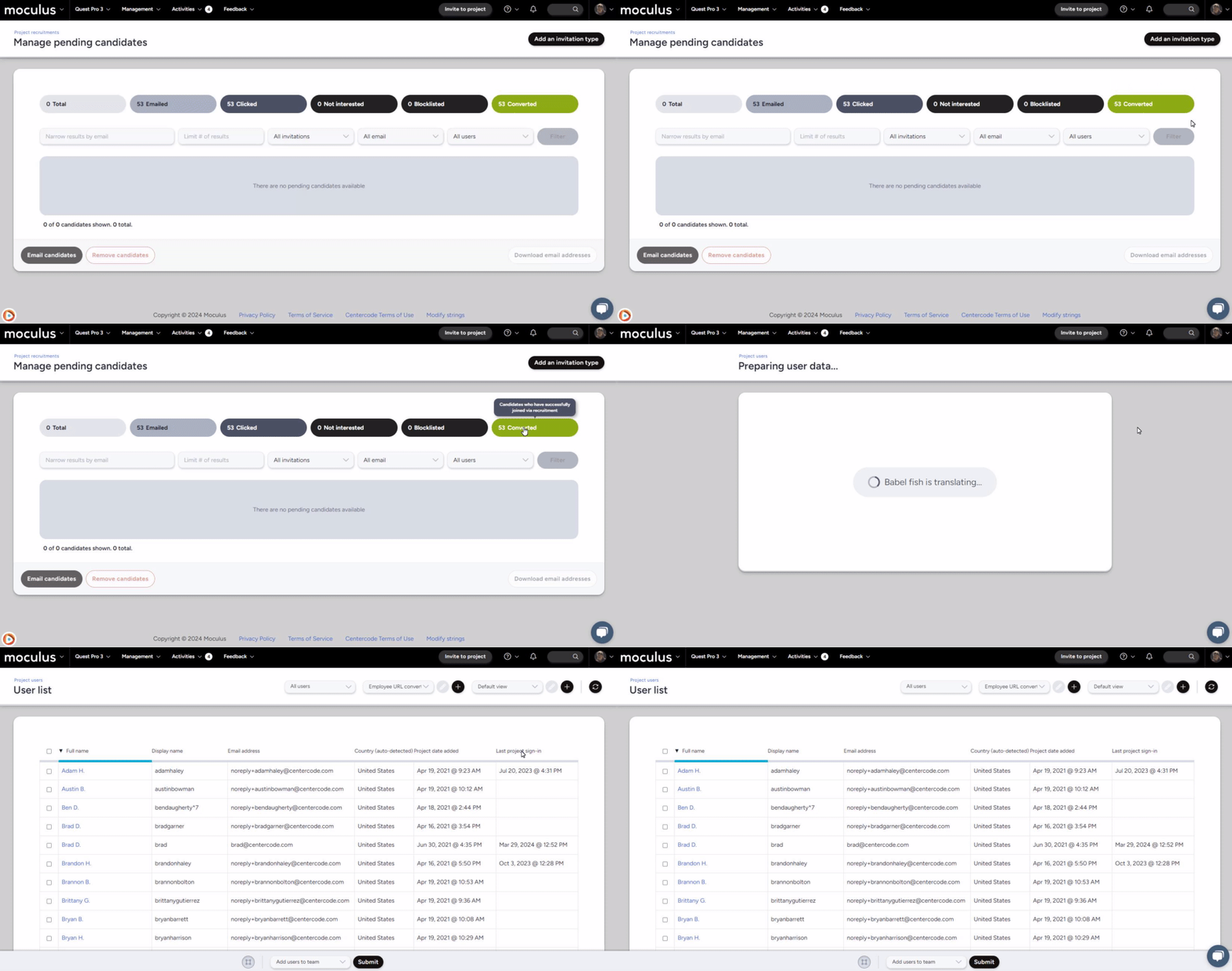
Switch from your pending candidate pool to converted users with a single click!
Improved element selection for Macro survey reports
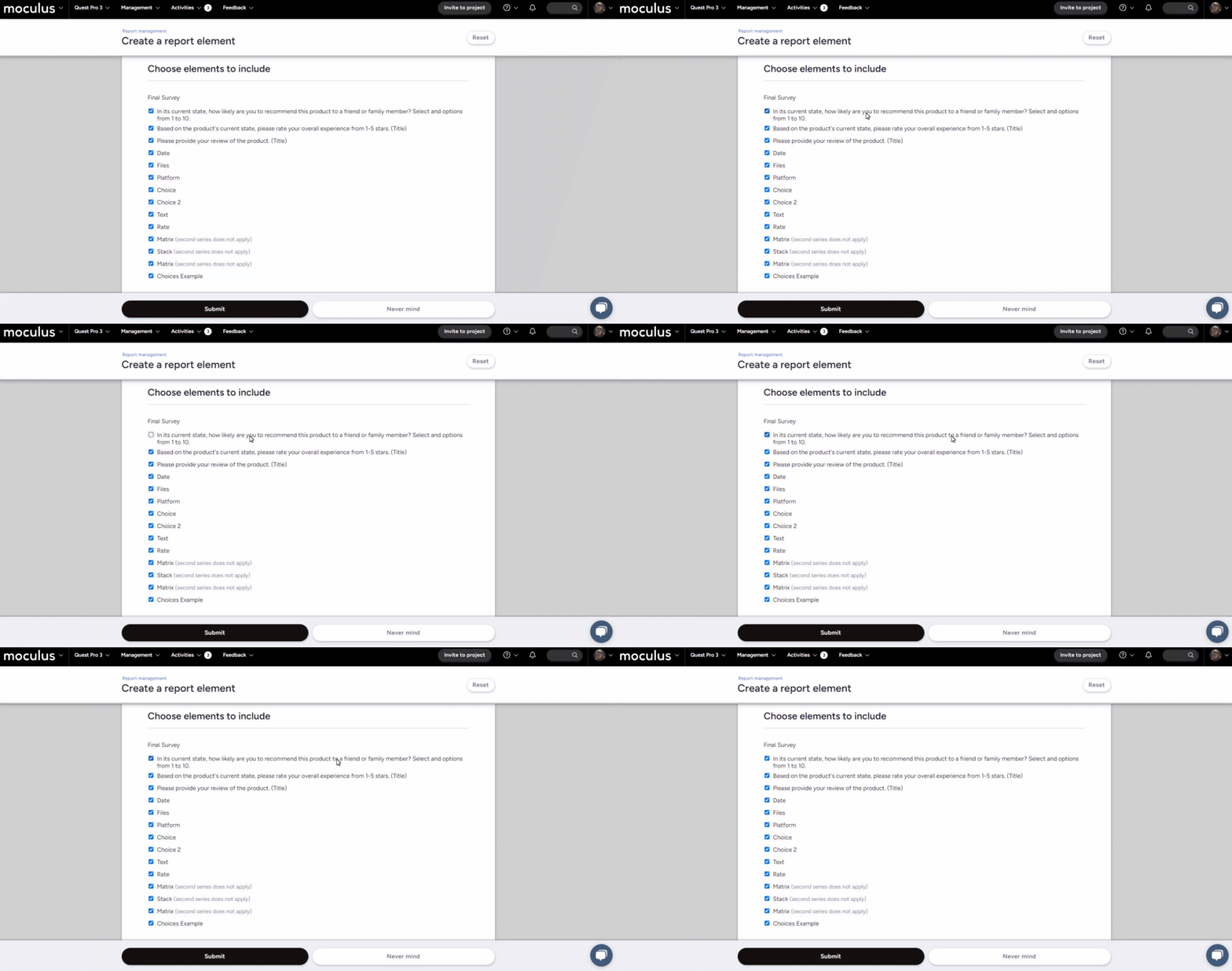
Made survey report element selections easier to click (the whole row is now a clickable area) and improved text wrapping and spacing!
And more!
Added a Feedback Reply attachment download button with on demand S3 link
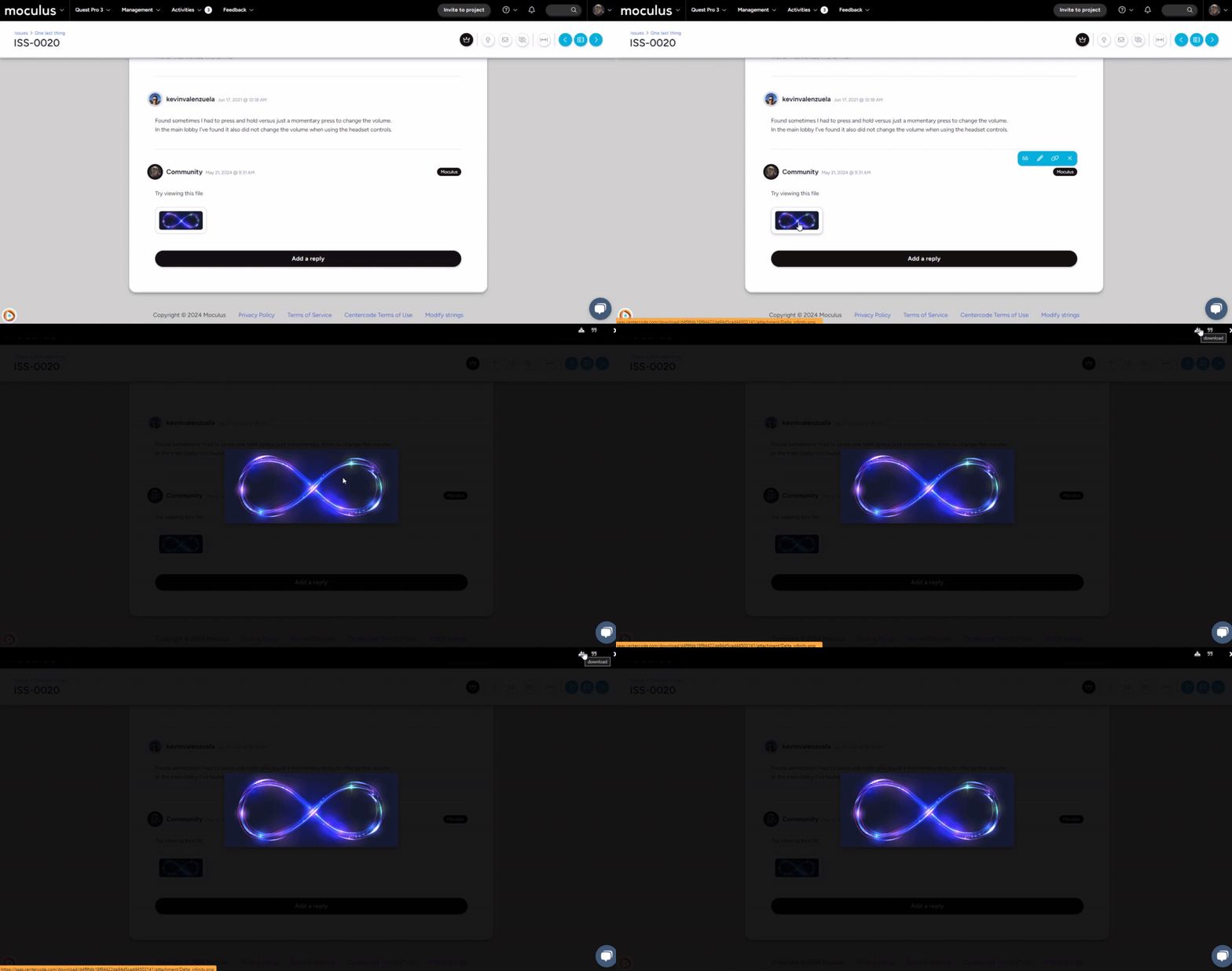
We've added a discrete download button to easily download (or link to!) files in feedback replies!
And more!
Added a button when modifying a survey’s properties to take you to modifying the form
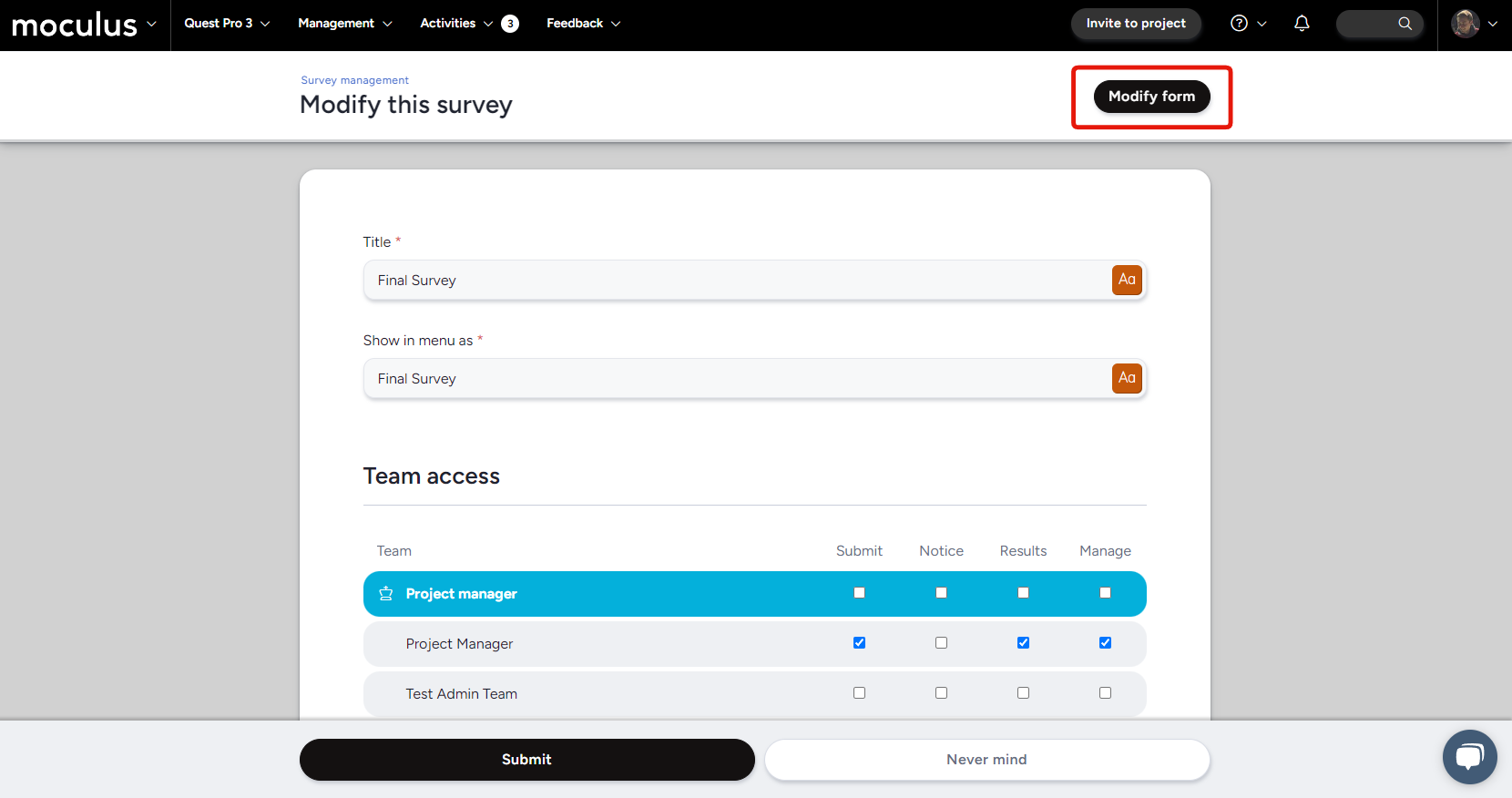
Jump straight into modifying your survey form elements without returning to the survey management screen!
When hovering a survey, a count will display displaying completion stats
Hover over a survey's 'Completed' number to see how many users completed it out of those with access.
And more!
Added a copy button for copying API keys
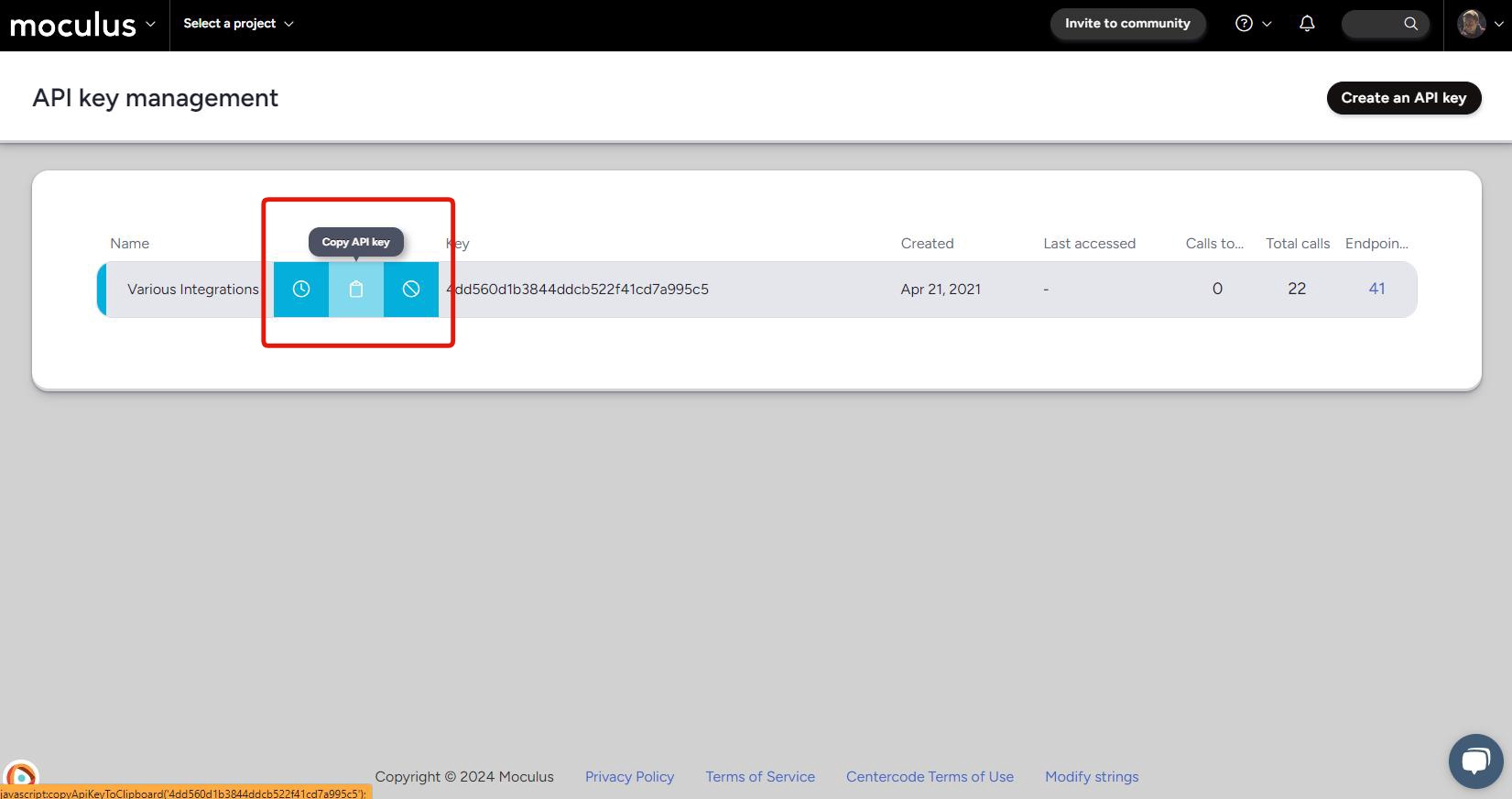
Easily copy an API key from the API key management page at the click of a button!
Forms set as a notice will now show in the menu
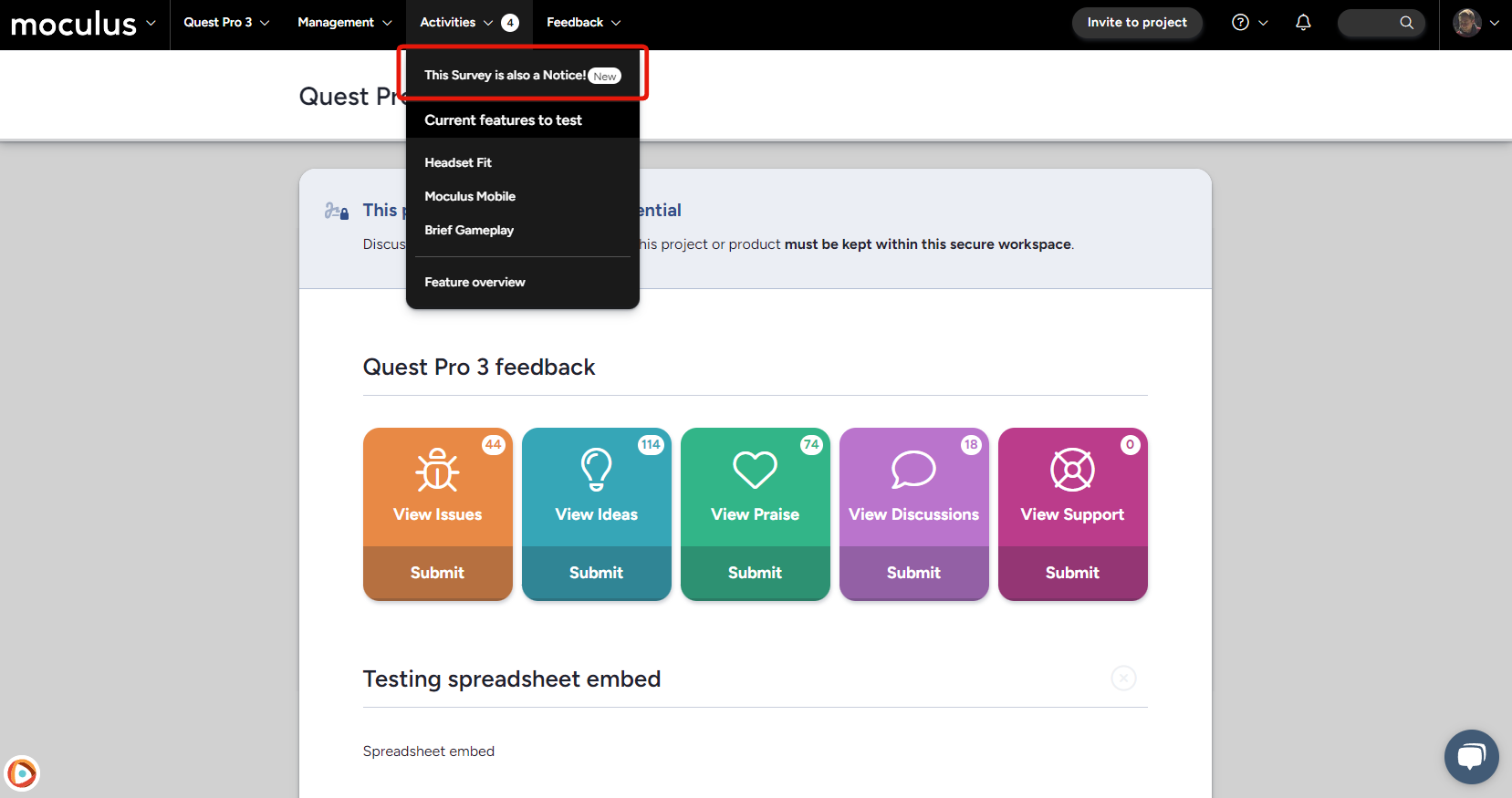
See surveys in the menu, even when they are set as notices. Useful for testing access when assuming a user!
And more!
The Converted pill within invite types is now linked to a User view
Switch from your pending candidate pool to converted users with a single click!
Changed the "Submit button" to “Send email” on the Preview this email page
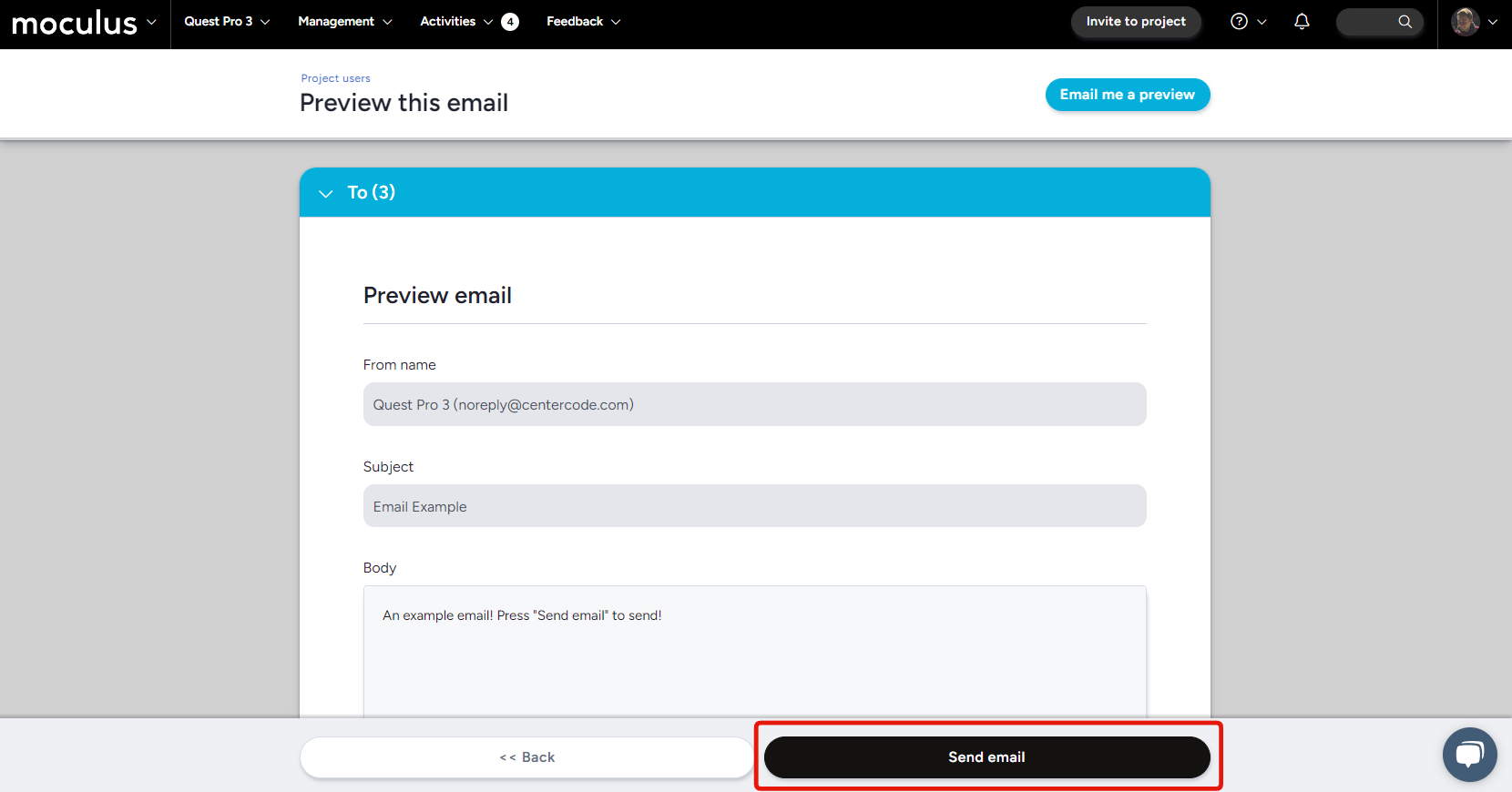
The button now better reflects the action that will occur when pressed!
And more!
Increased the character limit when customizing Ted’s name
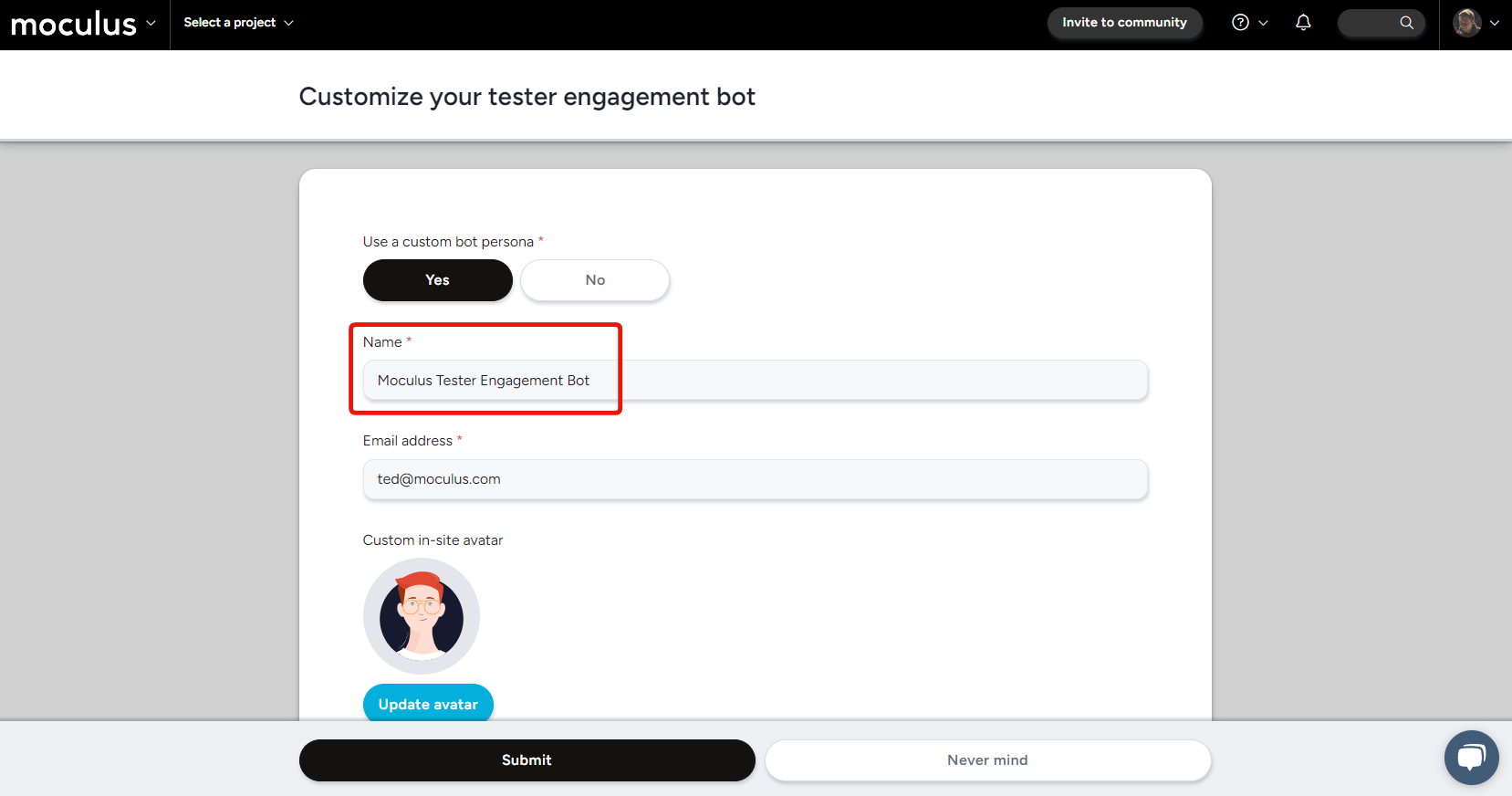
Doubled the number of characters available for the tester engagement bot from 15 to 30! Get creative with Ted's name, or include the entire name of your community to keep things clear for your user testing products from multiple companies!
Updated the Logo background to better display white logos
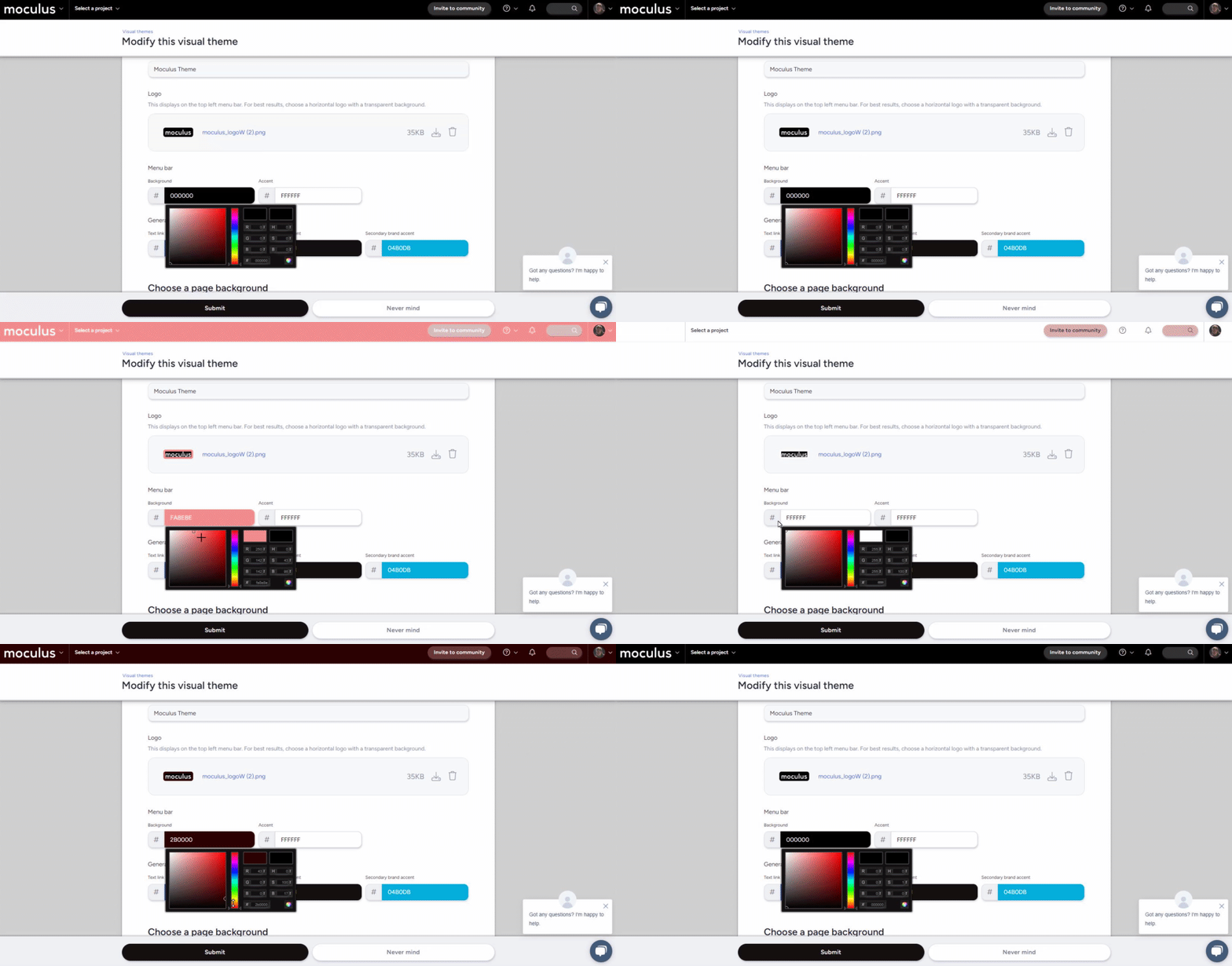
The Logo preview area will now dynamically update to better display white or black logos!
And more!
Whew, you made it all the way down here! And your reward? Even more improvements! Coming soon to our GoEarly implementations is a new and improved Community home view, designed to simplify and streamline the page to make things more easily navigable for customers with very large project lists. In addition, we've also got a whole host of new data columns being added to the Centercode data engine, giving you even more options when filtering and viewing your data!
If you’re not already participating in our GoEarly program, sign up here to get your hands on these new updates before they go live!