Weekly Patch - November 1, 2026
by Ian Nicholson
New Features
User Management
Send polished, branded email right from User Management
What's new: Email you sent by hand from User Management used to go out plain and unstyled, while your Publish & Notify email got the full branded treatment. Now your manual email can dress up too, with the same header, footer, and community branding your Publish & Notify email uses.
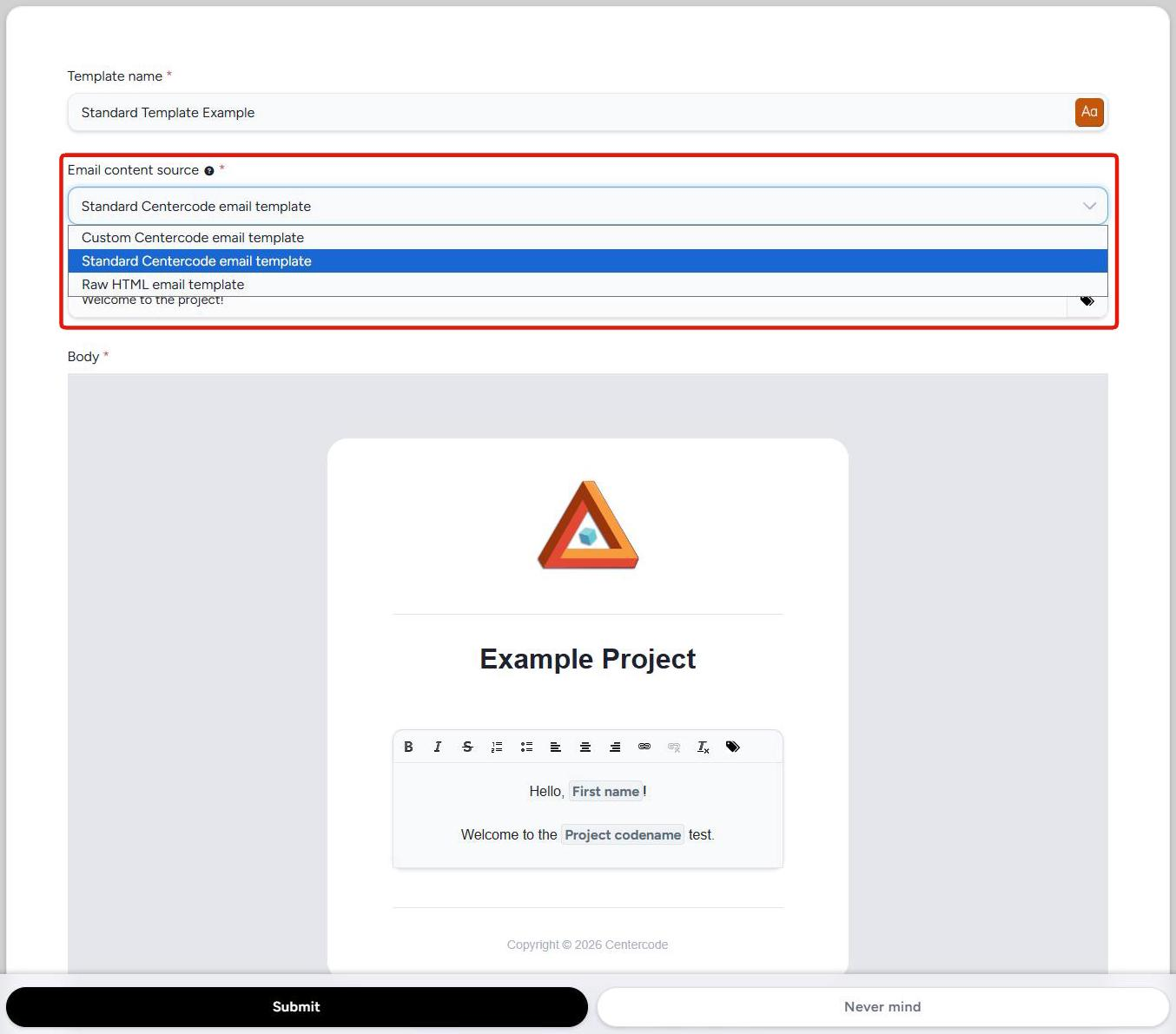 See it in action:
- Head to User Management, select the users you want to reach (one or many), and choose to email them.
- In the Email content source drop-down, pick the new Standard Centercode email template option. It's the middle one.
- Write your subject and body like you normally would.
- Hit preview and admire the result. The preview shows exactly what your recipients will see, branding and all.
- Send it off, looking sharp. 🎉
Good to know:
- Heads up, a label changed. The option that used to be called Standard Centercode email template is now Custom Centercode email template. It works exactly the same as before, and only the name changed. The new Standard option is the branded one, so if you picked Standard like always and your email looks different, this is why.
- Your community's own Publish & Notify customizations (footer text, avatar, colors) carry over automatically. No extra setup needed.
- Add links with the Link button in the editor, and they arrive intact. A web address typed as plain text stays plain text, and whether it turns clickable is up to the recipient's mail client. A dynamic tag inside a link looks broken in the preview but works in the sent email.
- The branded option supports text formatting and links only, so there are no images, buttons, tables, or colors in the body.
- This option is only on email sent from User Management. Macro, workflow, gateway, and notice email keep their existing options.
- You choose the content source when you create an email template. Once the template is saved, the choice is locked, so you can't switch an existing template over to the branded style. Create a new one instead.